
Mesh Wi-Fi can greatly enhance your streaming experience by providing stable connections and eliminating dead zones. It reduces buffering and improves video quality, especially in larger homes. However, if you’re in a smaller space or have a tight budget, a single router might suffice. It’s essential to evaluate your streaming habits and current setup before investing. Want to discover the best way to optimize your streaming performance? There’s more you should know.

Get movie nights delivered free with Prime
- Fast, free delivery on millions of items
- Prime Video, Amazon Music and more included
- Member-only deals all year
Key Takeaways
- Mesh Wi-Fi enhances streaming by providing stable connections and eliminating dead zones, essential for uninterrupted viewing experiences.
- It reduces buffering and latency, ensuring smooth playback even with multiple devices connected simultaneously.
- However, smaller homes may not need a mesh system, as a single router could suffice for stable connectivity.
- Tight budgets might make mesh systems impractical, especially if current setups already meet streaming needs effectively.
- Proper placement and network management are crucial for maximizing mesh Wi-Fi benefits and optimizing streaming quality.
How Mesh Wi-Fi Improves Streaming Quality

When you stream your favorite shows or movies, a stable connection is essential, and that’s where mesh Wi-Fi comes into play. One of the key mesh advantages is its ability to eliminate dead zones in your home, ensuring you have a strong signal no matter where you are. This improved coverage greatly reduces streaming latency, allowing for smoother playback and fewer interruptions. With multiple nodes working together, mesh systems create a seamless network that adapts to your usage needs. You’ll notice a difference when binge-watching your favorite series or enjoying a movie night. Additionally, mesh Wi-Fi can integrate with smart home technology, allowing for a more connected and efficient living experience. By investing in mesh Wi-Fi, you can enhance your streaming experience, enjoying high-quality visuals and sound without the frustration of buffering or lag. Furthermore, a strong Wi-Fi network can improve mobility & recovery, ensuring that your devices maintain stable connections while you stream.
Common Streaming Problems With Regular Wi-Fi

Even with the convenience of regular Wi-Fi, many people face frustrating streaming problems that can ruin the experience. One common issue is buffering, which occurs when your device struggles to download data fast enough. This can lead to annoying pauses and interruptions while watching your favorite shows. Additionally, signal interference from walls, appliances, or even neighboring Wi-Fi networks can weaken your connection, making streaming a challenge. You might notice decreased video quality or frequent disconnections, further detracting from your viewing pleasure. To enhance your streaming experience, it’s essential to address these problems by optimizing your Wi-Fi setup or considering alternatives like mesh systems, which can help provide a more stable connection throughout your home. Water-cooled mattress pads can also greatly improve energy efficiency and comfort, further enhancing your overall streaming environment. Furthermore, maintaining good indoor air quality can create a healthier atmosphere, which is beneficial for long periods of streaming. Regular maintenance of your filtration systems can also help ensure that your devices operate efficiently, minimizing disruptions during streaming sessions.
When Should You Avoid Mesh Wi-Fi for Streaming?
Could there be situations where mesh Wi-Fi isn’t your best bet for streaming? Absolutely. If you live in a smaller space, the mesh limitations may not justify the added expense. Regular Wi-Fi can handle streaming just fine in compact areas without the need for multiple nodes. Additionally, if you’re on a tight budget, the cost considerations of upgrading to a mesh system might outweigh the benefits, especially if your current setup meets your needs. It’s also worth noting that if you primarily stream in one location, a single, well-placed router could provide a more stable connection than a mesh system, which can sometimes introduce latency or connectivity issues. Make sure to evaluate your specific streaming habits before making a switch.
Essential Features of Mesh Wi-Fi for Optimal Streaming
To stream smoothly, you need a mesh Wi-Fi system that covers your entire home without dead spots. Look for features like effective bandwidth management and the ability to connect multiple devices simultaneously. These essentials guarantee you enjoy high-quality streaming without interruptions. Additionally, ensure your system supports multiple device connections, as this is crucial for maintaining performance during high-traffic streaming sessions.
Coverage Area and Range
When you’re streaming your favorite shows, ensuring extensive coverage and range is essential for a seamless experience. Mesh Wi-Fi systems excel in providing strong signal strength throughout your home, eliminating those frustrating dead zones where the connection drops. Unlike traditional routers, mesh networks use multiple nodes to blanket your space with Wi-Fi, allowing you to enjoy uninterrupted streaming in every corner. This means you can binge-watch in the living room, bedroom, or even your backyard without worrying about buffering or connection loss. When you invest in a mesh Wi-Fi system, you’re investing in a reliable network that keeps you connected, ensuring that your viewing experience is as enjoyable as possible, no matter where you are in your home. Additionally, dual camera doorbells can also benefit from a strong mesh network, providing better connectivity for smart home devices. Moreover, having a robust connection can enhance the performance of leak detectors, ensuring they function properly and alert you promptly in case of any issues. Crafting various projects can also be an enjoyable way to spend time while waiting for your shows to buffer. Furthermore, a strong network supports high refresh rates, which can enhance your streaming experience when watching action-packed content. Investing in a reliable network also involves understanding extension cord standards, which can help ensure your devices are safely powered while you enjoy your shows.
Bandwidth Management Features
While a strong signal is essential for streaming, effective bandwidth management features are equally important to guarantee a smooth experience. These features help you optimize your network for seamless viewing. Here are three key aspects to look for:
- Bandwidth Allocation: This allows you to set limits on how much bandwidth each device can use, ensuring that your streaming device gets the speed it needs.
- Traffic Prioritization: With this feature, you can prioritize streaming traffic over other activities, like downloads or gaming, to avoid interruptions.
- Guest Network Management: This helps control bandwidth usage by allowing guests to connect to a separate network, keeping your main network’s speed intact.
Investing in these features can greatly enhance your streaming experience.
Device Connection Capacity
A robust mesh Wi-Fi system can support multiple devices simultaneously, making it essential for ideal streaming in today’s smart homes. With the rise of smart devices, ensuring device compatibility across your network is vital to prevent network congestion. Additionally, leveraging accountability and goal-setting in your home environment can enhance your overall productivity while streaming. It’s important to ensure that a strong internet connection is maintained, as this can significantly affect streaming quality. Investing in data storage solutions can also help manage the large files often associated with streaming high-definition content.
Here’s a quick look at how different devices can impact your streaming experience:
| Device Type | Connection Impact |
|---|---|
| Smart TVs | High |
| Smartphones | Medium |
| Laptops | Medium |
| IoT Devices | Low |
How to Optimize Your Mesh Wi-Fi for Streaming
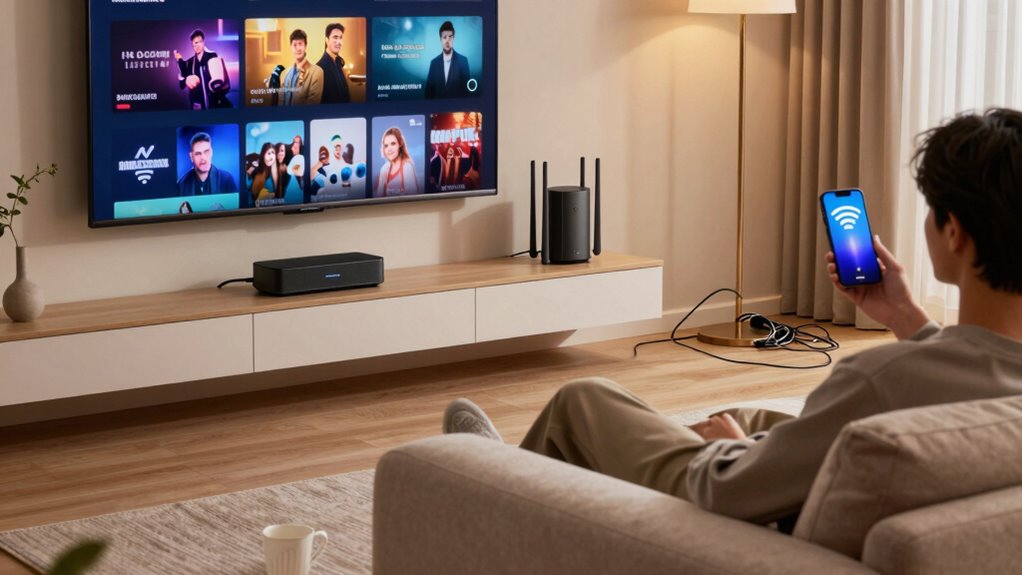
To guarantee your streaming experience is smooth and uninterrupted, optimizing your mesh Wi-Fi network is essential. Here are three effective strategies to enhance performance:
- Position Your Nodes Wisely: Place your mesh nodes in open areas away from walls and large objects to minimize signal interference and secure strong coverage throughout your space. Utilizing ultrawide monitors can further enhance your streaming experience by providing a wider field of view. Additionally, ensuring optimal network performance can significantly impact your overall streaming quality. In a world increasingly influenced by AI-driven technologies, understanding how to optimize your network can lead to a more efficient home environment. Properly configured Wi-Fi can also help with home EV charging, ensuring that your electric vehicle is charged efficiently while you enjoy your favorite content.
- Limit Connected Devices: Too many devices can lead to network congestion. Disconnect any unnecessary devices to free up bandwidth for your streaming needs.
- Use Ethernet Backhaul: If possible, connect your nodes via Ethernet cables. This setup reduces wireless signal interference and improves overall network stability. Additionally, maintaining good air quality benefits can enhance your overall home environment and potentially improve streaming performance by reducing electronic interference.
Alternatives to Mesh Wi-Fi for Better Streaming Performance

If optimizing your mesh Wi-Fi isn’t enough to meet your streaming needs, consider exploring alternatives that can enhance performance. One effective option is a wired connection. Connecting your streaming device directly to your router with an Ethernet cable can provide a more stable and faster internet connection, reducing buffering and lag. Additionally, using carry-ons with compression can help ensure that your streaming devices remain protected and easily transportable while traveling. For instance, properly calibrated sensors in automotive diagnostics ensure accuracy, similar to the stability offered by a wired connection. Moreover, if you experience frequent outages, implementing standby power systems can help maintain a constant internet connection during storms.
Another alternative is using powerline adapters. These devices utilize your home’s electrical wiring to transmit internet signals, allowing you to extend your network without running new cables. Simply plug one adapter near your router and another near your streaming device, and you’ll benefit from a more reliable connection. Both methods can greatly improve your streaming experience without the complications of mesh systems. Additionally, a stable connection can significantly enhance your overall streaming quality, similar to direct connections used in car repair diagnostics for precision.
Frequently Asked Questions
Can Mesh Wi-Fi Improve Gaming Performance as Well?
Yes, mesh Wi-Fi can improve gaming performance. It does this by enhancing connection stability and reducing latency, which are essential for a smooth gaming experience. With multiple nodes, you get better coverage, minimizing dead zones and maintaining a strong signal throughout your home. This means fewer interruptions and a more responsive gaming environment. So, if you’re looking to level up your game, investing in a mesh system could be a smart move.
How Many Nodes Do I Need for Effective Coverage?
You typically need two to three nodes for effective coverage in a standard home. Place one node near your router and distribute the others in strategic coverage areas, like living rooms or home offices. Make certain you maintain a reasonable distance between nodes to avoid interference, but not so far that the signal weakens. This setup optimizes your network performance, making it easier to stream or game without interruptions.
Will Mesh Wi-Fi Work With My Existing Router?
Yes, mesh Wi-Fi can work with your existing router. Imagine boosting your home’s signal, seamlessly connecting each room. You’ll want to check for mesh compatibility to guarantee smooth router integration. Most systems allow for easy setup, letting you enhance your network without replacing your current equipment. Just follow the manufacturer’s instructions, and you’ll enjoy improved coverage and performance throughout your space, making streaming and browsing a breeze.
Is Mesh Wi-Fi More Expensive Than Traditional Routers?
Yes, mesh Wi-Fi systems are generally more expensive than traditional routers. When you do a cost comparison, consider not just the initial price but also installation complexity. Mesh systems often require multiple units, which can drive up costs. However, the improved coverage can make it worth the investment. If you’re looking for seamless connectivity throughout your home, the extra expense might be justified compared to a single traditional router.
Can I Use Mesh Wi-Fi With Smart Home Devices?
Yes, you can use mesh Wi-Fi with smart home devices! In fact, mesh networking benefits your smart home setup by providing a strong, reliable connection throughout your space. This guarantees that devices like smart bulbs, security cameras, and thermostats stay connected without interruptions. Plus, with smart home compatibility, you’ll find it easier to manage multiple devices simultaneously, enhancing your overall smart home experience. Enjoy seamless connectivity and control with a mesh Wi-Fi system!
Conclusion
In the world of streaming, think of your Wi-Fi as a river. A mesh system can widen its banks, allowing for smooth, uninterrupted flows of data. But sometimes, a narrow stream is all you need to reach your destination. If you’re maneuvering through heavy traffic—like multiple users or large files—choose wisely. With the right setup, your streaming journey can be a breeze, while the wrong choice might leave you stranded on the riverbank, waiting for a better tide.
Columbus Day / Indigenous Peoples' Day Picks
long weekend sales
As an affiliate, we earn on qualifying purchases.