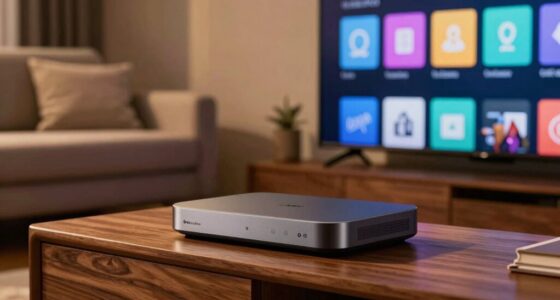

Choosing between a Roku and an Amazon Fire TV Stick is rarely about hardware specifications. Both devices stream 4K HDR content, both cost under $100, and both connect to the same television via HDMI. The decision rests entirely on the software experience. Roku operates as a neutral platform, treating all streaming services equally. Fire TV, conversely, functions as an extension of Amazon, prioritizing Prime Video and Alexa integration. This comparison examines how these philosophical differences impact daily use, content discovery, and long-term satisfaction.

Get movie nights delivered free with Prime
- Fast, free delivery on millions of items
- Prime Video, Amazon Music and more included
- Member-only deals all year

Amazon Fire TV Stick 4K Plus with Alexa Voice Remote
- ✔ Maximum resolution: 2160p at up to 60 fps
- ✔ Video formats: Dolby Vision, HDR10+, HDR10, HLG, H.265, H.264, VP9, AV1
- ✔ Audio support: Dolby Atmos, 7.1 surround, stereo, HDMI passthrough up to 5.1

Amazon Fire TV Stick 4K Select
- ✔ Video support: 4K Ultra HD, HDR10, HDR10+, HLG, H.265, H.264, VP9, AV1
- ✔ Processor: Quad-core 1.7 GHz
- ✔ Storage: 8 GB

Roku Streaming Stick HD with Voice Remote
- ✔ Resolution: 1080p (1920 × 1080)
- ✔ Model: 3840R
- ✔ Connectivity: Wi-Fi and Bluetooth
At a Glance
| Criteria | Roku Streaming Player (e.g., Roku Ultra or Express) | Amazon Fire TV Stick (e.g., Fire TV Stick 4K or Lite) | Winner |
|---|---|---|---|
| Interface & Navigation | Simple, neutral, ad-supported | Cluttered, Prime-biased, ad-heavy | A |
| Voice Control | Basic remote voice or app-based | Alexa voice integration (strong) | B |
| Content Discovery | Aggregates services equally | Heavily promotes Prime Video | Depends |
| App Availability | Largest library of apps | Solid library, fewer niche apps | A |
| Remote Control | Simple, minimal buttons | Voice-enabled, dedicated buttons | B |
| Ecosystem Integration | Platform agnostic | Deep Amazon/Alexa link | Depends |
Amazon Fire TV Stick 4K Plus with Alexa Voice Remote
The Fire TV Stick 4K Plus is our strongest all-around choice for a household with a 4K television and a reasonably current home network. It supports 4K at up to 60 fps and includes Dolby Vision, HDR10+, and Dolby Atmos, giving compatible TVs and sound systems more ways to reproduce high-quality picture and audio. Its Wi-Fi 6 support is another useful option when the router supports it, though the stick can also use earlier listed Wi-Fi standards.Compared with the Fire TV Stick 4K Select, the Plus adds Dolby Vision, Dolby Atmos, and Wi-Fi 6 support. Those are meaningful upgrades for a setup built around compatible equipment, not universal improvements to every stream. If the TV only supports HDR10+ or the router does not use Wi-Fi 6, the Select may deliver the more relevant capabilities. Compared with the Roku HD stick, this model is plainly the better fit for 4K viewing, but it lacks Roku’s stated Bluetooth Headphone Mode.Alexa voice search and remote control for compatible TVs and smart-home devices make finding content and managing basic controls easier. The compromises are familiar for a compact stick: 8 GB of storage is limited, advanced formats require compatible equipment, and cloud gaming may involve a separate subscription and controller. We rank it first because it combines the most comprehensive video and audio support in this group, rather than because every buyer needs its extras.
Pros:
- Supports 4K at up to 60 fps, Dolby Vision, and HDR10+.
- Dolby Atmos and HDMI audio passthrough support suit compatible audio systems.
- Wi-Fi 6 support can benefit a compatible home network.
- Alexa voice search and remote controls for compatible TVs and smart-home devices.
Cons:
- Dolby formats and Wi-Fi 6 benefits require compatible equipment and services.
- The 8 GB storage capacity is limited.
- Cloud gaming may require a separate subscription and compatible controller.
Best for: Viewers with a 4K TV and compatible HDR or audio equipment who want the broadest format support among these three sticks.
Not ideal for: Owners of 1080p TVs, households without compatible Wi-Fi 6 equipment seeking that specific benefit, or anyone who does not need the added Dolby formats.
Bottom line: Choose the 4K Plus when your TV and network can use its extra formats; otherwise, the 4K Select may be the more sensible match.
“Choose the 4K Plus when your TV and network can use its extra formats; otherwise, the 4K Select may be the more sensible match.”
Amazon Fire TV Stick 4K Select
The Fire TV Stick 4K Select makes sense when the main goal is moving from HD to 4K without prioritizing every premium-format feature. It supports 4K Ultra HD and HDR10+, along with HDR10 and HLG, and includes Alexa+ voice search and smart-home control. For a compatible screen, that makes it a substantial step beyond the Roku’s 1080p limit.Its position below the 4K Plus comes down to the feature distinction: the Select’s supplied specifications do not list Dolby Vision, Dolby Atmos, or Wi-Fi 6. Buyers whose TVs and audio systems support those formats should look at the Plus instead. On the other hand, if HDR10+ is the relevant format in the room and the network is already adequate, paying attention to the Select’s simpler feature mix can prevent buying capabilities that will go unused.The stick also supports cloud gaming through services such as Xbox Game Pass and Luna, but that is not a self-contained console replacement: subscriptions and a compatible controller may be needed. Its 8 GB of storage gives apps some room, yet it remains modest, and most streaming subscriptions are separate from the device. Compared with Roku, the Select is better for a 4K screen and Alexa-centered households; Roku is the more appropriate choice for HD viewing and offers a stated private-listening mode that this model does not list.
Pros:
- Supports 4K Ultra HD, HDR10+, HDR10, and HLG.
- Alexa+ voice search can help find content and control compatible smart-home devices.
- Cloud gaming access is available through supported services.
- Compact HDMI stick with dual-band Wi-Fi and Bluetooth 5.0.
Cons:
- Dolby Vision, Dolby Atmos, and Wi-Fi 6 are not listed among its supported features.
- Cloud gaming may require a subscription and compatible controller.
- 8 GB of internal storage is limited, and many streaming services require separate subscriptions.
Best for: Viewers who want a compact 4K streamer with HDR10+ and Alexa features, but do not specifically need Dolby Vision, Dolby Atmos, or Wi-Fi 6.
Not ideal for: Buyers building around Dolby Vision or Dolby Atmos equipment, or anyone who only needs basic streaming on a 1080p television.
Bottom line: The 4K Select is the practical middle ground when 4K and HDR10+ matter more than the Plus model’s expanded formats.
“The 4K Select is the practical middle ground when 4K and HDR10+ matter more than the Plus model’s expanded formats.”
Roku Streaming Stick HD with Voice Remote
The Roku Streaming Stick HD is the deliberately uncomplicated pick for a television that tops out at 1080p. It streams at Full HD resolution, fits behind the screen, and is powered by the TV, which helps avoid occupying a nearby outlet. Its voice remote handles streaming searches as well as TV power and volume, so basic viewing controls can stay in one place.Against either Fire TV stick, the defining tradeoff is clear: Roku does not offer 4K, so it is a weaker match for a 4K television. That limitation is also why it can be the more appropriate choice for an older or secondary HD screen where the Fire TV models’ extra resolution would not be used. Roku also brings a distinctive feature to this group: Bluetooth Headphone Mode for private listening. Buyers who watch late at night or want sound without disturbing others may value that more than the Fire TV models’ additional HDR formats.The device provides access to popular streaming apps and free HD channels, including live TV, but access to a service does not include a subscription where one is required. It still depends on an HDMI port and Wi-Fi, and its small format does not remove the need for a suitable network. We rank it third overall because the other two options can serve 4K setups, not because the Roku is a poor fit for HD. For the right television, its compact design, TV-powered operation, and private listening make a focused case.
Pros:
- Compact stick design stays out of sight and helps keep neighboring HDMI ports clear.
- Powered directly by the TV, reducing the need for a nearby power connection.
- Voice remote controls streaming, TV power, and volume.
- Bluetooth Headphone Mode supports private listening, alongside free HD channels.
Cons:
- Limited to 1080p resolution, unlike both Fire TV options.
- Requires a TV with an HDMI port and a Wi-Fi connection.
Best for: People streaming on a 1080p television who want a small, TV-powered device, simple voice controls, and private listening.
Not ideal for: Anyone who wants 4K playback, Dolby Vision, or a device for a 4K home-theater setup.
Bottom line: Pick the Roku for a straightforward HD television and private listening, but choose one of the Fire TV sticks for 4K.
“Pick the Roku for a straightforward HD television and private listening, but choose one of the Fire TV sticks for 4K.”
As an Amazon Associate we earn from qualifying purchases.
Key Differences
The primary divergence lies in neutrality versus integration. Roku presents a clean, uncluttered home screen that treats Netflix, Hulu, and Prime Video with equal visual weight. It does not favor one subscription over another, making it ideal for users who hop between multiple services. Fire TV, however, aggressively promotes Amazon content. The home screen often features Prime Video titles more prominently than competitors, and the interface feels designed to convert you into an Amazon subscriber. If you value a neutral dashboard, Roku wins. If you live in the Amazon ecosystem, Fire TV feels more cohesive.
Voice control represents the second major split. Amazon’s Alexa integration is significantly more robust than Roku’s voice options. You can ask Fire TV to find movies, control smart home devices, or answer trivia questions with high accuracy. Roku’s voice capabilities are functional but limited to basic search commands and lack the smart home connectivity that makes Alexa appealing. For users who want their TV to act as a smart home hub, Fire TV offers a distinct advantage that Roku cannot match.
Detailed Comparison
Roku’s interface is built for speed and simplicity. The home screen is a grid of app tiles. Navigating is straightforward, with minimal visual noise. Ads appear, but they are generally less intrusive than those on competitors. Fire TV’s interface is denser. It mixes apps with recommended content from Amazon and other services. This can make finding a specific app slower, as you scroll through rows of promoted movies. The visual clutter on Fire TV is a moderate drawback for users who want quick access to their apps without browsing through algorithmic suggestions.
Voice Control (Amazon Fire TV Stick (e.g., Fire TV Stick 4K or Lite) wins — moderate)
Amazon’s Alexa voice control is the gold standard for streaming devices. The Fire TV remote allows you to search across multiple apps, control playback, and integrate with smart home devices. You can dim lights or check doorbell cameras from your TV. Roku’s voice control is basic. It works for finding titles or controlling volume but lacks the broader smart home integration. If you already own Echo devices, Fire TV’s voice features feel like a natural extension. For Roku users, voice control is a convenience, not a feature set.
Content Discovery (moderate difference)
Roku aggregates content from all installed apps into a single view. If you subscribe to five services, Roku shows new releases from all five on your home screen. This helps you discover what is available across your entire library. Fire TV prioritizes Amazon content. While it does show other services, the algorithm heavily favors Prime Video titles. This bias can hide content from Netflix or Hulu, forcing you to open those apps individually to find new shows. Roku wins for unbiased discovery; Fire TV wins for Prime subscribers who want Amazon’s algorithm.
App Availability (Roku Streaming Player (e.g., Roku Ultra or Express) wins — minor)
Roku boasts the largest app store in the streaming industry. It supports niche channels, local news apps, and international content that Fire TV often lacks. If you watch specialized content, Roku is the safer bet. Fire TV has a robust library but misses some smaller or regional apps. The gap is narrowing, but Roku’s commitment to being an open platform gives it a slight edge in breadth. For most mainstream users, both offer every major service. For enthusiasts, Roku’s library is superior.
Remote Control (Amazon Fire TV Stick (e.g., Fire TV Stick 4K or Lite) wins — moderate)
Fire TV remotes are superior hardware. They include dedicated buttons for Netflix, Disney+, and other major services, plus a voice button. The build quality feels more substantial. Roku remotes are simpler, often lacking voice buttons on entry-level models and missing dedicated service shortcuts. However, Roku’s simplicity means fewer buttons to press by mistake. Fire TV’s remotes are more functional but can feel cluttered. If you prefer physical shortcuts and voice integration, Fire TV wins. If you prefer minimalism, Roku is acceptable.
Ecosystem Integration (moderate difference)
Fire TV integrates seamlessly with Amazon services. If you use Amazon Music, Kindle, or Alexa, Fire TV feels like a unified experience. You can sync watch lists across devices easily. Roku is platform-agnostic. It does not care if you use Apple, Google, or Amazon. This neutrality is a feature for some but a lack of synergy for others. If you are deep in the Amazon ecosystem, Fire TV adds value. If you use a mix of Google, Apple, and Amazon services, Roku’s neutrality prevents ecosystem lock-in.
Roku Streaming Player (e.g., Roku Ultra or Express): Pros and Cons
Pros:
- Neutral interface that treats all apps equally
- Largest library of available apps and channels
- Simple, intuitive navigation with minimal clutter
- No forced ecosystem lock-in
Cons:
- Basic voice control lacks smart home integration
- Remote controls are often less feature-rich
- Ads on the home screen can be distracting
Amazon Fire TV Stick (e.g., Fire TV Stick 4K or Lite): Pros and Cons
Pros:
- Superior Alexa voice control and smart home features
- Remotes include dedicated service buttons
- Seamless integration with Prime Video and Amazon Music
- Often bundled with discounts or Prime benefits
Cons:
- Interface is cluttered and biased toward Amazon content
- Fewer niche or regional apps than Roku
- Aggressive advertising and promotional content
Who Should Choose What
Choose Roku Streaming Player (e.g., Roku Ultra or Express) if:
- You subscribe to multiple streaming services and want an unbiased dashboard
- You want access to niche, local, or international apps not found on Amazon
- You prefer a simple, ad-light interface without Amazon’s ecosystem push
- You do not use Alexa or other Amazon smart home devices
Choose Amazon Fire TV Stick (e.g., Fire TV Stick 4K or Lite) if:
- You are a Prime Video subscriber who wants integrated recommendations
- You use Alexa for smart home control and want TV integration
- You prefer a remote with dedicated buttons for Netflix and Disney+
- You are already invested in the Amazon ecosystem for music and books
Skip both if: You primarily watch content via your TV’s built-in smart system or prefer a device that does not display ads on the home screen, such as an Apple TV or Nvidia Shield.
Value for Money
Both devices offer excellent value, often selling for under $50 during sales. The price difference is negligible for most models. However, the value proposition differs. Fire TV offers additional value if you are already an Amazon Prime member, as it integrates your existing subscription seamlessly. The voice control features add utility beyond streaming. Roku offers value through flexibility. If you change services frequently or watch niche content, Roku’s broad app support saves you the frustration of missing apps. Paying more for a premium Roku or Fire TV model is rarely worth it unless you need specific audio formats like Dolby Atmos, which both platforms support on higher-end models.
Final Verdict
Roku is the better choice for the average user who values simplicity and neutrality. Its interface is less cluttered, and its app library is more comprehensive. It does not try to sell you Amazon products, making for a cleaner viewing experience. Choose Roku if you want a tool that gets out of your way.
Choose Fire TV if you are deeply embedded in the Amazon ecosystem. The Alexa integration is a genuine advantage if you use Echo devices, and the remote’s dedicated buttons streamline access to major services. For Prime Video subscribers, the biased interface is a feature, not a bug, as it highlights the content you are most likely to watch.
Frequently Asked Questions
Does Roku support Dolby Atmos?
Yes, but only on specific models like the Roku Ultra and Roku Streaming Stick 4K. Entry-level Roku Express models do not support Atmos. Check the packaging carefully if audio quality is a priority.
Can I use my phone as a remote for both?
Yes. Roku offers the ‘Roku’ mobile app, and Amazon offers the ‘Amazon Fire TV’ app. Both allow you to type searches and use your phone as a remote, which is useful if you lose the physical remote.
Which device is faster for app loading?
Roku generally loads apps slightly faster due to its lighter interface. Fire TV can feel sluggish when processing its heavy recommendation algorithms. However, the difference is minor in daily use unless you switch apps constantly.
Do I need a subscription to use these devices?
No. Both devices work without a subscription. You can watch free channels like Tubi, Pluto TV, and YouTube. However, to watch premium content like Netflix or Disney+, you need separate subscriptions to those services.
Fall Picks

Philips Hue Essential Starter Kit with Bridge and 4 E26 Smart Bulbs
As an affiliate, we earn on qualifying purchases.