
To use subtitles without causing eye fatigue, keep your screen at eye level and adjust the brightness to match your room’s lighting. Choose a font size between 24-30 points and opt for clear sans-serif styles, ensuring high contrast between text and background. Customize background colors for reduced glare, and remember to take breaks every 20 minutes, following the 20-20-20 rule. Apply these tips, and you’ll discover even more ways to enhance your viewing comfort.
Key Takeaways
- Position your screen at eye level and 1.5 to 2.5 times the diagonal size away to reduce eye strain while reading subtitles.
- Customize subtitle settings with high contrast colors and an opacity level that minimizes glare for comfortable viewing.
- Use a font size of 24 to 30 points in a clear sans-serif style to improve subtitle readability without straining your eyes.
- Maintain soft ambient lighting to enhance subtitle visibility and reduce glare from the screen in your viewing environment.
- Take regular breaks using the 20-20-20 rule to rest your eyes and prevent fatigue while watching content with subtitles.
Understanding Eye Fatigue: What Causes It?
When you spend long hours staring at screens, it’s easy to overlook the strain this puts on your eyes. Eye strain occurs when you focus on digital content for extended periods without breaks. This constant activity can lead to discomfort, dryness, and blurred vision. Factors like poor lighting, glare, and improper screen distance exacerbate this issue, affecting your visual comfort. You might find yourself squinting or experiencing headaches, signaling that your eyes need a break. To combat eye strain, consider the 20-20-20 rule: every 20 minutes, look at something 20 feet away for at least 20 seconds. This simple practice can help alleviate discomfort, allowing you to enjoy your screen time without compromising your eye health. Proper lighting and screen placement can make a significant difference in reducing eye fatigue during prolonged use, especially when considering overall indoor air quality, which can impact eye comfort through dust or allergens.
The Benefits of Using Subtitles for Better Comprehension
Using subtitles can greatly enhance your comprehension of content, especially in noisy environments or when the dialogue is difficult to catch. By reading along with the spoken words, you reinforce your understanding and improve retention. This comprehension improvement is particularly beneficial for language learning; seeing words in print helps solidify vocabulary and grammar concepts. You’ll find that subtitles make it easier to follow complex narratives, ensuring you don’t miss important context. Plus, they can expose you to different accents and pronunciations, which boosts your listening skills. Whether you’re watching movies, shows, or educational videos, incorporating subtitles can lead to a more enriching experience, making it easier to grasp and enjoy what you’re watching. Additionally, understanding the importance of cold medication usage can help prevent potential side effects and interactions, enhancing your overall health.

Funko Pop! Fashion Backpack: Wednesday Mini-Backpack
- Stroll the halls of Nevermore Academy in style...
- The front pocket of this black and grey...
- This eerie accessory has plenty of room for...
As an affiliate, we earn on qualifying purchases.
Choosing the Right Subtitle Settings for Comfort
To guarantee you enjoy a comfortable viewing experience with subtitles, it’s essential to customize the settings according to your preferences. Start by adjusting the subtitle background color and opacity to reduce glare, making it easier on your eyes. You can also tweak the text color for better contrast against the video. Don’t forget about the subtitle positioning; you might prefer them at the bottom or even slightly higher on the screen to minimize neck strain. Remember, subtitle customization isn’t one-size-fits-all. Experiment with different settings until you find what feels best for you. By taking these steps, you’ll enhance your viewing experience and greatly reduce eye fatigue while enjoying your favorite shows or movies.

LOGOVISION The Powerpuff Girls Heart Lightweight Backpack for Work School Daily Use Packable for Travel
- Officially Licensed: Whether you're heading to class,...
- Lightweight and Compact Design: Made from lightweight 600D fabric,...
- Spacious and Organized: With a roomy main compartment...
As an affiliate, we earn on qualifying purchases.
Selecting Optimal Font Size and Style for Readability
Selecting the right font size and style for subtitles can greatly enhance your viewing experience. Aim for a font size that’s large enough for easy reading without straining your eyes—generally, a size between 24 to 30 points works well. For font legibility, choose a sans-serif style like Arial or Helvetica; these tend to be clearer on screens. Consistency is key, so stick with one font throughout your viewing session to avoid distractions. Avoid overly decorative styles that can hinder readability. Remember, simple and straightforward fonts help you follow the dialogue seamlessly, allowing you to enjoy your content without constant eye fatigue. Additionally, font readability can be improved by adjusting contrast and ensuring the subtitles do not blend into the background, making your subtitle experience much more comfortable and enjoyable.
Best Background Colors for Clearer Subtitles

When choosing background colors for subtitles, high contrast combinations can make a big difference in readability. Dark backgrounds often enhance clarity, while light backgrounds can also work well in brighter settings. Let’s explore how these options can help you reduce eye fatigue while watching your favorite shows.
High Contrast Combinations
Choosing the right background color for subtitles can make a significant difference in reducing eye fatigue while enhancing readability. High contrast color combinations are key to achieving this. Here’s a quick guide to help you select the best backgrounds:
| Background Color | Text Color | Contrast Level |
|---|---|---|
| Black | White | High |
| Dark Blue | Yellow | High |
| Dark Gray | Light Gray | Medium |
Using these combinations, you can guarantee your subtitles stand out, making it easier for you to read without straining your eyes. Remember, the goal is to find colors that complement each other while providing that essential high contrast for clarity.
Dark Background Benefits
A dark background can greatly enhance your viewing experience by providing a soothing backdrop for subtitles. When you switch to dark mode, you’ll notice how it minimizes glare and reduces eye strain, especially during long viewing sessions. The contrast between bright subtitles and a dark environment improves readability, making it easier for you to follow along without straining your eyes. Dark backgrounds also promote visual comfort, allowing you to immerse yourself in the content without distractions. Plus, they can create a more cinematic feel, enhancing the emotional impact of what you’re watching. So, if you want to enjoy subtitles without the fatigue, embracing a dark background is a smart choice that benefits both your eyes and your overall viewing experience.
Light Background Advantages
While dark backgrounds offer numerous benefits for reducing eye strain, light backgrounds can also provide unique advantages for subtitle clarity. When you use light backgrounds, you enhance visual clarity, making it easier to read subtitles quickly. Lighter colors, like white or pastel shades, create a stark contrast against dark text, which can help your eyes track the words more effortlessly. This is particularly beneficial in well-lit environments where dark backgrounds might wash out. Additionally, light backgrounds can reduce glare, making your viewing experience more comfortable over longer periods. By choosing the right light colors, you’ll not only improve your subtitle reading experience but also enjoy a more pleasant viewing atmosphere overall. Embrace the light background benefits for clearer subtitles! Understanding contrast can help you select the optimal color schemes for your viewing setup, especially when considering visual comfort and reducing eye fatigue.
Where Should You Position Your Screen for the Best Subtitle Viewing?

To enjoy subtitles without straining your eyes, it’s essential to position your screen correctly. Make sure the screen is at eye level and at a comfortable distance to reduce glare and improve readability. Also, consider the angle you’re viewing from, as a slight tilt can impact your viewing experience greatly.
Optimal Screen Height
Finding the right screen height is essential for enjoying subtitles without straining your eyes. You should position your monitor so that the top of the screen is at or just below eye level. This alignment promotes good screen ergonomics, allowing you to look slightly downward at the subtitles without causing neck strain. Ideally, your screen should be about 20 to 30 inches away from your eyes, but the height is vital for comfort. If your monitor height is too low, you might find yourself squinting or leaning forward, leading to fatigue. Adjust your chair or desk to achieve that perfect height, ensuring your viewing experience is both enjoyable and easy on your eyes. Incorporating proper monitor placement can make a significant difference in reducing eye fatigue over extended periods.
Ideal Viewing Distance
The ideal viewing distance for watching subtitles is essential for a comfortable experience. To guarantee you find the right balance between clarity and ease, consider these guidelines for your screen placement:
- Screen Size: For a 50-inch TV, sit about 6.5 to 8.5 feet away.
- Viewing Distance: Aim for 1.5 to 2.5 times the diagonal screen size for best comfort levels.
- Eye Level: Your eyes should align with the lower third of the screen; this helps reduce fatigue.
- Room Lighting: Keep ambient light soft to minimize glare and enhance readability.
- Screen Calibration: Proper calibration of your display ensures optimal contrast and brightness, making subtitles easier to read without straining your eyes.
Angle of Viewing
Positioning your screen at the right angle greatly impacts your subtitle viewing experience. To minimize eye fatigue, aim for a viewing angle that keeps the subtitles easily readable without straining your neck or eyes. Ideally, your screen should be at eye level; this prevents you from tilting your head or looking up and down excessively.
When it comes to screen placement, find a distance that allows you to read the text comfortably while still enjoying the visuals. A slight tilt of the screen can also help optimize your viewing angle, ensuring you see the subtitles clearly. By adjusting your screen’s position, you’ll create a more enjoyable and fatigue-free viewing experience.
Why Taking Breaks Is Crucial for Eye Health
Although you might not realize it, taking regular breaks is essential for maintaining your eye health, especially when using subtitles for extended periods. Continuous focus can lead to eye strain and fatigue. To protect your vision, consider these simple practices:
- Take screen breaks: Step away from screens every 20 minutes.
- Practice eye exercises: Look away from the screen and focus on distant objects to relax your eye muscles.
- Blink frequently: This keeps your eyes moist and reduces dryness.
- Adjust your environment: Confirm proper lighting and minimize glare to reduce strain.
- Use blue light filters: Applying blue light filters on your devices can help reduce eye fatigue during prolonged viewing sessions.
Incorporating these habits into your viewing routine can greatly improve your comfort and help maintain your eye health over time.
Tips for Adjusting Your Viewing Environment for Comfort
To enjoy subtitles without straining your eyes, you need to optimize your viewing environment. Start by adjusting your screen brightness, finding the right distance from the screen, and choosing suitable room lighting. These simple tweaks can make a big difference in your overall comfort while watching. Additionally, ensuring your room has good air quality can help prevent eye irritation and promote better focus during viewing sessions. Incorporating energy-efficient HVAC solutions can also help maintain a consistent, comfortable temperature and humidity level, reducing eye dryness and fatigue. Maintaining proper indoor humidity levels can further support eye health and overall comfort during long viewing periods. Paying attention to ergonomic setup, such as proper seating and screen positioning, can also contribute significantly to reducing eye strain and enhancing your viewing experience. Moreover, selecting appropriate screen technology, like matte displays or anti-glare coatings, can further minimize eye fatigue during extended viewing sessions.
Optimize Screen Brightness Levels
When you’re watching subtitles, enhancing your screen brightness can greatly improve your viewing experience and reduce eye fatigue. Here are some tips to adjust your brightness settings effectively:
- Reduce Screen Glare: Position your screen away from direct light sources to minimize reflections.
- Match Ambient Light: Adjust your brightness to complement the surrounding light in the room for a comfortable viewing experience.
- Experiment with Settings: Use your device’s brightness settings to find the best level; too bright can strain your eyes, while too dim can make reading subtitles difficult.
- Use Software Tools: Consider apps that automatically adjust brightness based on the time of day or your environment to maintain comfort during extended viewing sessions.
- Utilize Screen Calibration tools to fine-tune brightness and contrast for optimal viewing comfort.
Adjust Viewing Distance Properly
Adjusting your viewing distance can greatly enhance your comfort while watching subtitles. Proper screen placement is key; too close can strain your eyes, while too far can make reading difficult. Try to maintain a distance that allows you to see the whole screen comfortably. Here’s a quick reference table to help you gauge the ideal viewing distance based on screen size:
| Screen Size | Ideal Distance | Distance Adjustment |
|---|---|---|
| 32 inches | 5-7 feet | Closer if squinting |
| 50 inches | 8-10 feet | Move back if straining |
| 65 inches | 10-13 feet | Adjust based on comfort |
| 75 inches | 12-15 feet | Guarantee easy visibility |
| 85 inches | 13-16 feet | Check for clarity |
Finding your perfect distance will make watching much more enjoyable! Ensuring the correct viewing environment can also support your eye health and overall comfort. Additionally, controlling ambient lighting can reduce glare and improve subtitle readability, further protecting your eyes from fatigue. Properly adjusting screen brightness is essential, as it can lessen eye strain during extended viewing sessions and improve overall viewing quality. Incorporating regular breaks into your viewing routine can also help prevent eye fatigue and maintain visual health during long sessions.
Choose Appropriate Room Lighting
The right room lighting can greatly impact your ability to read subtitles comfortably. Proper lighting reduces glare and enhances your viewing experience, making it easier on your eyes. Here are some tips for achieving the ideal ambiance:
- Use Soft Ambient Light: Opt for lamps with warm bulbs that create a gentle glow without harshness.
- Position Lights Wisely: Place light sources behind or to the side of your screen to minimize direct glare.
- Dimmable Options: Invest in dimmable lights, allowing you to adjust brightness based on your content and time of day.
- Avoid Overhead Fluorescent Lights: These can create uncomfortable glare; instead, use floor or table lamps for a softer effect.
- Consider lighting contrast to prevent eye strain during extended viewing sessions.
- To further enhance comfort, ensure your room’s lighting is consistent with ambient lighting standards, which promotes visual relaxation.
Alternative Ways to Enjoy Movies Without Straining Your Eyes
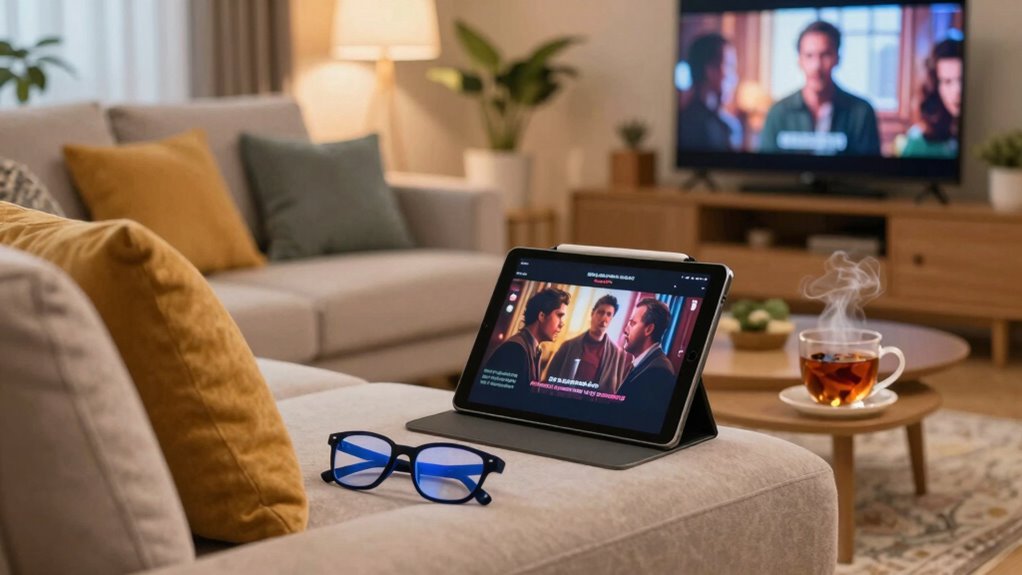
Although subtitles can enhance your viewing experience, they can sometimes lead to eye strain. To enjoy movies without straining your eyes, consider alternative viewing methods. For instance, using audio descriptions or watching films with clear audio can greatly reduce your reliance on subtitles. You might also explore eye-friendly formats, like films designed specifically for visual accessibility, which often include enhanced contrast and larger text. Streaming services often provide options for these formats, making it easier to find content that suits your needs. Additionally, try adjusting your screen’s brightness and using blue light filters to lessen fatigue. Incorporating home soundproofing techniques can also create a more comfortable viewing environment by reducing external noise and distractions. Furthermore, utilizing biosensors for eye fatigue can help monitor your visual strain in real-time, allowing you to take timely breaks and adjust your viewing habits accordingly. By implementing these strategies, you can enjoy a more comfortable and immersive movie experience without the drawbacks of traditional subtitles.
When to Watch Content Without Subtitles?
Whenever you find yourself watching content that’s in your native language or features clear dialogue, it’s a good time to skip the subtitles. This can enhance your viewing experience and help you fully engage with the story. Consider these scenarios:
- Silent Scenes: When the action speaks louder than words, enjoy the visuals without distraction.
- Intense Dramas: You’ll absorb the emotional weight better without reading text.
- Documentaries: If the narration is clear, focus on the visuals and insights instead of the subtitles.
- Animated Shows: When the characters’ expressions convey the story, it’s more immersive without the clutter of text.
Embrace these opportunities for richer, more immersive experiences!
Frequently Asked Questions
Can Using Subtitles Improve My Language Learning Experience?
Yes, using subtitles can definitely improve your language learning experience! Subtitles benefits include enhancing your listening skills and reinforcing vocabulary through context. When you watch content in your target language, you’re engaging in language immersion, which helps you pick up pronunciation and grammar patterns naturally. You’ll find it easier to connect spoken words with their written forms, making the learning process more enjoyable and effective. So go ahead, turn those subtitles on!
Are There Specific Devices That Are Better for Viewing Subtitles?
When it comes to viewing subtitles, certain devices truly stand out. You’ll find that smart TVs and tablets enhance accessibility, making reading easier. But wait—there’s more! Laptops often offer better device compatibility, allowing you to customize text size and background. Imagine watching your favorite show without straining your eyes. Explore options like e-readers with adjustable lighting for a comfortable experience. Choosing the right device can transform your subtitle experience into something enjoyable.
How Does Screen Brightness Affect Subtitle Visibility?
Screen brightness greatly affects subtitle visibility. If your screen’s too bright, it can create glare that makes reading subtitles difficult. By adjusting the brightness to a comfortable level, you reduce strain on your eyes and improve clarity. You’ll want to find a balance where the subtitles stand out without overwhelming your vision. Experiment with settings to see what works best for you, especially in different lighting conditions to enhance your viewing experience.
Do Subtitles Impact My Overall Viewing Experience Negatively?
Subtitles can be like a double-edged sword; they enhance understanding but can also disrupt your viewing comfort. If you struggle with subtitles’ readability, they might distract you from the visuals and plot. However, when set correctly, they can actually enrich your experience, helping you catch nuances in dialogue. Just be mindful of font size and screen brightness to keep your eyes comfortable, ensuring you enjoy every moment of your show or movie.
Is There a Recommended Distance to Sit From the Screen?
To reduce eye strain and enhance your viewing experience, aim for an ideal viewing distance of about 1.5 to 2.5 times the diagonal size of your screen. For instance, if you have a 50-inch TV, sit between 6 to 10 feet away. Consider screen size when determining this distance; larger screens may require you to sit farther back to avoid discomfort. Finding the right distance helps you enjoy your content more comfortably.
Conclusion
Incorporating subtitles into your viewing experience can be a game-changer, but it’s essential to do it smartly to avoid eye strain. By adjusting settings like font size, color, and your environment, you can create a comfortable oasis for your eyes. Remember, just like a well-tended garden, your vision needs care and attention. So take breaks and choose your moments wisely—your eyes will thank you for it, ensuring you enjoy every cinematic journey without fatigue.