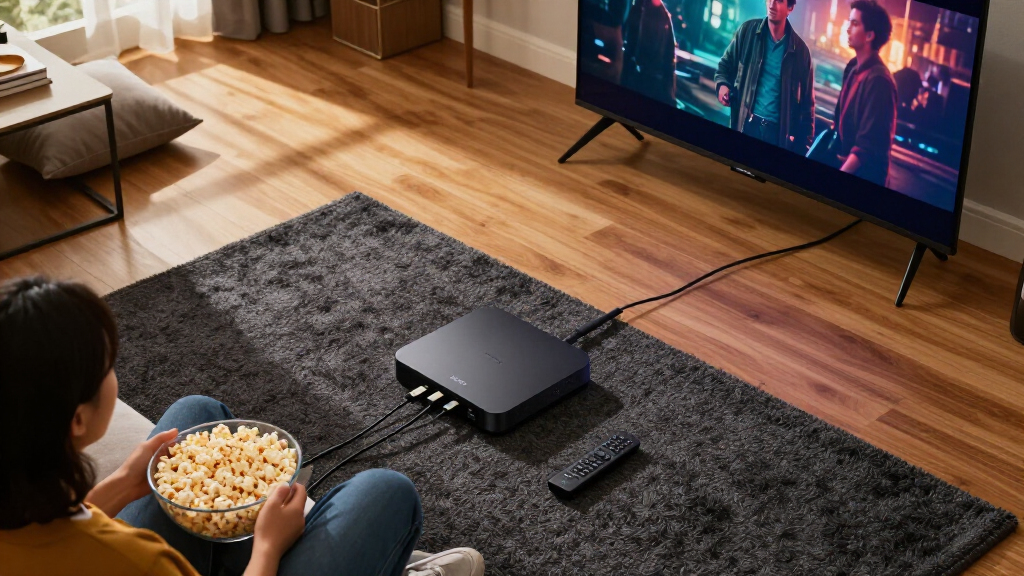
Shopping for 4K streaming media players comes down to one main tradeoff: ecosystem versus hardware. The Google TV Streamer 4K earns my best overall pick for its fast interface, generous 32GB storage, and the cleanest app recommendations in the lineup, while the Amazon Fire TV Cube (3rd Gen) stands out for hands-free Alexa control and Wi-Fi 6E speed, and the Roku Ultra wins on simplicity with the most neutral, ad-light interface of the bunch. The real decision most buyers face is whether they want Google’s smart recommendations, Amazon’s voice-first experience, or Roku’s dead-simple menus — because all three deliver excellent 4K, Dolby Vision, and HDR10+ pictures. Budget picks like the onn 4K Pro and TiVo Stream 4K prove you don’t need to spend much for a smooth 4K experience, though they cut corners on storage and refinement. Keep reading for the full breakdown, including who each player is for and which ones to skip.

Get movie nights delivered free — and shop member deals
- Fast, free delivery on millions of items
- Access to Prime Big Deal Days deals on October 6–7
- Prime Video, Amazon Music and more included
Key Takeaways
- Ecosystem mattered more than hardware specs: the Google TV Streamer 4K, amazon.com/dp/B0GGNGVZQT?tag=chokingonpopcorn-20&ascsubtag=dc-1086223″ target=”_blank” rel=”nofollow sponsored noopener”>onn 4K Pro, and amazon.com/dp/B0F3JWFL56?tag=chokingonpopcorn-20&ascsubtag=dc-1086223″ target=”_blank” rel=”nofollow sponsored noopener”>Xiaomi boxes all run Google TV, but interface polish and update support separated them more than raw specs did.
- Wi-Fi 6 or 6E appeared on every top-tier pick; older Wi-Fi 5 streamers like the TiVo Stream 4K showed noticeable lag when navigating dense menus or launching apps.
- The Roku Streambar SE blurred the category line — it’s a soundbar first and a streamer second, making it a smart buy only if your TV audio is genuinely weak.
- Two nearly identical Xiaomi TV Box S 3rd Gen variants dominated the value conversation, and the differences between them are small enough that whichever is cheaper at checkout is the right call.
- Built-in Ethernet remained a rare differentiator: only the Roku Ultra, onn 4K Pro, and Fire TV Cube offered wired connections, which matters for anyone streaming 4K over a congested wireless network.
| Xiaomi TV Box S 3rd Gen 4K UHD Google TV Streaming Box, 32GB, Dolby Vision & Atmos, Wi-Fi 6, HDMI 2.1 |  | Best Value Google TV Box | Operating System: Google TV | Resolution: 4K UHD (3840 x 2160) at 60FPS | HDR Support: Dolby Vision, HDR10+ | VIEW LATEST PRICE | See Our Full Breakdown |
| Xiaomi TV Box S 3rd Gen Android Google TV Streaming Box, 4K UHD, Dolby Vision/Atmos, DTS:X, 2GB RAM + 32GB Storage, Wi-Fi 6, HDMI 2.1, Bluetooth Voice Remote |  | Best Budget Home Theater Companion | Operating System: Google TV | Resolution: 4K UHD (3840 x 2160) | HDR Support: HDR10+, Dolby Vision | VIEW LATEST PRICE | See Our Full Breakdown |
| Roku Ultra 4K Streaming Player |  | Best Overall | Video Support: 4K, HDR10+, Dolby Vision | Audio Support: Dolby Atmos | Remote: Rechargeable Voice Remote Pro, backlit, hands-free, lost remote finder | VIEW LATEST PRICE | See Our Full Breakdown |
| Roku Streambar SE – 4K Soundbar with Built-in Streaming Device |  | Best Two-in-One Upgrade | Resolution: 4K HDR | Speakers: 2 premium speakers with dedicated bass port | Audio Features: Enhanced Speech Clarity, automatic volume leveling | VIEW LATEST PRICE | See Our Full Breakdown |
| Roku Streaming Stick Plus with Voice Remote – 4K & HDR10+ |  | Best Compact and Portable Pick | Form Factor: TV Stick (HDMI, direct-plug) | Resolution: 4K with HDR10+ color | Connectivity: Wi-Fi, Bluetooth | VIEW LATEST PRICE | See Our Full Breakdown |
| Roku Streaming Stick 4K with Voice Remote – HDR10+ & Dolby Vision |  | Best Value Stick | Resolution: 4K | HDR Support: Dolby Vision, HDR10+ | Connectivity: Wi-Fi (long-range), HDMI | VIEW LATEST PRICE | See Our Full Breakdown |
| Amazon Fire TV Cube (3rd Gen) – Hands-Free 4K Streaming Media Player with Alexa, Wi-Fi 6E |  | Best Premium Pick | Processor: Octa-core (4x 2.2GHz, 4x 2.0GHz) | Resolution: 2160p up to 60 fps | HDR Support: Dolby Vision, HDR10, HDR10+, HLG | VIEW LATEST PRICE | See Our Full Breakdown |
| onn 4K Pro Streaming Device, Google TV with Gemini, 32GB Storage, 3GB RAM, Dolby Vision & Atmos |  | Best Budget Google TV | Platform: Google TV with Gemini | Resolution: 4K Ultra HD | Video / Audio: Dolby Vision / Dolby Atmos | VIEW LATEST PRICE | See Our Full Breakdown |
| Amazon Fire TV Stick 4K Plus Streaming Media Player with Wi-Fi 6 and Alexa Voice Remote |  | Best for Alexa Households | Processor: Quad-core 1.7 GHz | Resolution: 2160p up to 60 fps | HDR Support: Dolby Vision, HDR10, HDR10+, HLG | VIEW LATEST PRICE | See Our Full Breakdown |
| TiVo Stream 4K Android TV Streaming Media Player |  | Best for Cross-App Discovery | Operating System: Android TV | Resolution: 4K UHD | HDR / Audio: Dolby Vision / Dolby Atmos | VIEW LATEST PRICE | See Our Full Breakdown |
| Google TV Streamer 4K Streaming Device with Voice Remote, 32GB, Hazel |  | Best Smart Home Hub Pick | Product Type: Streaming Media Player | Storage: 32 GB | Video Support: Up to 4K HDR with Dolby Vision | VIEW LATEST PRICE | See Our Full Breakdown |
| 4K streaming media player | Connectivity | Resolution | Remote |
|---|---|---|---|
| Xiaomi TV Box S 3rd Gen 4K UHD | Wi-Fi 6 dual-band, Bluetooth 5.2, HDMI 2.1, USB 2.0 | 4K UHD (3840 x 2160) at 60FPS | — |
| Xiaomi TV Box S 3rd Gen Androi | Wi-Fi 6 (OFDMA, MU-MIMO), Bluetooth, HDMI 2.1, USB | 4K UHD (3840 x 2160) | — |
| Roku Ultra 4K Streaming Player | Wi-Fi 6, Ethernet | — | Rechargeable Voice Remote Pro, backlit, hands-free, lost remote finder |
| Roku Streambar SE | Bluetooth | 4K HDR | All-in-one remote (TV power, volume, streaming) |
| Roku Streaming Stick Plus with | Wi-Fi, Bluetooth | 4K with HDR10+ color | Voice remote with TV power and volume control |
| Roku Streaming Stick 4K with V | Wi-Fi (long-range), HDMI | 4K | Voice Remote with TV control |
| Amazon Fire TV Cube | Wi-Fi 6E tri-band, Bluetooth 5.0, Ethernet 10/100Mbps | 2160p up to 60 fps | — |
| onn 4K Pro Streaming Device | Wi-Fi 6, Ethernet | 4K Ultra HD | Backlit, Find My Remote |
| Amazon Fire TV Stick 4K Plus S | Wi-Fi 6 dual-band, Bluetooth 5.2 | 2160p up to 60 fps | — |
| TiVo Stream 4K Android TV Stre | Wi-Fi, HDMI | 4K UHD | — |
| Google TV Streamer 4K Streamin | — | — | Voice Search Remote with smart home control |
More Details on Our Top Picks
Xiaomi TV Box S 3rd Gen 4K UHD Google TV Streaming Box, 32GB, Dolby Vision & Atmos, Wi-Fi 6, HDMI 2.1
This option stands out for packing full-format 4K HDR support into a box that costs less than most name-brand rivals. Compared with the Google TV Streamer 4K, the Xiaomi TV Box S 3rd Gen trades away the premium aluminum build and Thread/Matter smart-home hub in exchange for a far lower outlay — and I think most buyers won’t miss them. What you keep is the important part: Dolby Vision, HDR10+, and DTS:X passthrough, plus Wi-Fi 6 and HDMI 2.1, so it’s ready for a modern AV setup. The compromises are real, though. The 2GB of RAM means menus can feel less snappy than a Roku Ultra, and the lack of a wired Ethernet port is a genuine problem for anyone streaming 4K over a congested wireless network. The 32GB of storage is generous at this tier.
Pros:- Full Dolby Vision, HDR10+, Dolby Audio, and DTS:X support
- 32GB of storage, more than most entry-level boxes offer
- Modern Wi-Fi 6 and HDMI 2.1 connectivity
- Google TV platform with Google Assistant voice control and Chromecast built in
Cons:- 2GB RAM leads to slower menus and heavier multitasking than pricier rivals
- No wired Ethernet option
- USB 2.0 port limits external media performance
Best for: Budget-conscious buyers who want Dolby Vision and the full Google TV app library without paying premium-player prices
Not ideal for: Homes with crowded Wi-Fi or long distances from the router — no Ethernet port means you’re locked into wireless streaming
- Operating System:Google TV
- Resolution:4K UHD (3840 x 2160) at 60FPS
- HDR Support:Dolby Vision, HDR10+
- Audio:Dolby Audio, DTS:X
- Processor:Quad-Core CPU up to 2.5GHz
- RAM / Storage:2 GB / 32 GB
- Connectivity:Wi-Fi 6 dual-band, Bluetooth 5.2, HDMI 2.1, USB 2.0
Our verdict“This pick makes the most sense for viewers who want flagship-tier 4K HDR formats on a tight budget and have solid Wi-Fi at home.”
Xiaomi TV Box S 3rd Gen Android Google TV Streaming Box, 4K UHD, Dolby Vision/Atmos, DTS:X, 2GB RAM + 32GB Storage, Wi-Fi 6, HDMI 2.1, Bluetooth Voice Remote
While it shares its core platform with the other Xiaomi TV Box S 3rd Gen listing, this configuration earns a distinct slot because of its explicitly confirmed Dolby Atmos and DTS:X audio support and its 360° Bluetooth remote — details that matter if the box feeds a receiver or soundbar. The 6nm quad-core Cortex-A55 processor is the same chip family, so interface speed feels comparable, and the same 2GB RAM ceiling applies: heavier multitaskers will notice lag that a Roku Ultra simply doesn’t have. Compared with the TiVo Stream 4K, this model’s 32GB of storage gives it an advantage for app hoarders. The tradeoff is identical to its sibling: wireless-only networking, so buyers without a Wi-Fi 6 router won’t see the streaming stability the hardware is capable of.
Pros:- Dolby Atmos and DTS:X support for immersive audio setups
- Wi-Fi 6 with OFDMA and MU-MIMO for more stable streaming
- 360° Bluetooth voice remote works without line of sight
- 32GB storage plus Google Cast from phones and tablets
Cons:- 2GB RAM restricts heavy multitasking and menu speed
- Requires a Wi-Fi 6 router to reach its best wireless performance
- No Ethernet port listed
Best for: Buyers pairing a 4K TV with an Atmos soundbar or receiver who want object-based audio support at a low price
Not ideal for: Power users who juggle multiple apps at once — 2GB of RAM limits responsiveness compared with 3GB+ rivals like the onn 4K Pro
- Operating System:Google TV
- Resolution:4K UHD (3840 x 2160)
- HDR Support:HDR10+, Dolby Vision
- Audio:Dolby Atmos, DTS:X
- Processor:Quad-core ARM Cortex-A55 up to 2.5GHz (6nm)
- RAM / Storage:2 GB / 32 GB
- Connectivity:Wi-Fi 6 (OFDMA, MU-MIMO), Bluetooth, HDMI 2.1, USB
Our verdict“This model is better suited to budget home-theater builders who prioritize Atmos and DTS:X audio over raw interface speed.”
Roku Ultra 4K Streaming Player
The Roku Ultra takes the top spot because it removes the compromises that cheaper players ask you to accept. Where both Xiaomi TV Box S 3rd Gen models are wireless-only, the Ultra offers both Wi-Fi 6 and wired Ethernet — the single biggest reliability upgrade for 4K streaming, since a cable eliminates the buffering risk that plagues stick-style players. It’s also 30% faster than other Roku players, which translates to instant app launches rather than the loading pauses you’ll tolerate on budget boxes. The rechargeable Voice Remote Pro adds backlit buttons, hands-free voice commands, and a lost-remote finder, features the Roku Streaming Stick Plus doesn’t match. The drawbacks are modest but honest: the rechargeable remote means downtime while it charges, and if your TV already runs your apps smoothly, the Ultra’s speed advantage shrinks.
Pros:- Wired Ethernet plus Wi-Fi 6 for maximum streaming reliability
- Fastest interface and app launches in the Roku lineup
- Rechargeable remote with backlit buttons, hands-free voice, and lost remote finder
- Bluetooth Headphone Mode for private listening
Cons:- Rechargeable remote must be plugged in periodically rather than swapping batteries
- Dolby Vision and Atmos benefits require compatible TV and sound system
Best for: Main-living-room streamers who want the fastest, most reliable 4K experience with a wired connection option
Not ideal for: Viewers whose smart TV already handles their apps well — the speed and remote upgrades won’t justify the spend
- Video Support:4K, HDR10+, Dolby Vision
- Audio Support:Dolby Atmos
- Remote:Rechargeable Voice Remote Pro, backlit, hands-free, lost remote finder
- Connectivity:Wi-Fi 6, Ethernet
- Performance:30% faster than other Roku players
- Special Features:Bluetooth Headphone Mode, free live TV
Our verdict“This is the pick for buyers who want a set-and-forget 4K player that outpaces every budget rival in speed and connection flexibility.”
Roku Streambar SE – 4K Soundbar with Built-in Streaming Device
The Streambar SE solves a different problem than every other player here: it upgrades both picture and sound in one purchase. Compared with the Roku Ultra, it gives you the same streaming brain but adds two speakers and a dedicated bass port — something no standalone box can do for a TV with tinny built-in audio. Features like Enhanced Speech Clarity and automatic volume leveling directly address the two most common living-room complaints: mumbled dialogue and deafening commercials. The tradeoffs are structural rather than incidental. It lacks Dolby Atmos and DTS:X, both of which the Xiaomi boxes support, and its output is tuned for smaller rooms and TVs — in a large space it will sound thin next to a dedicated soundbar. One remote controlling TV power, volume, and streaming keeps the coffee table uncluttered.
Pros:- Combines a 4K HDR streaming player and soundbar in one unit
- Enhanced Speech Clarity and volume leveling improve dialogue and taming loud ads
- Single remote controls TV power, volume, and streaming
- Bluetooth headphone pairing and music streaming
Cons:- No Dolby Atmos or advanced surround support
- Two speakers lack the power for large rooms or big-screen setups
Best for: Apartment dwellers and bedroom-TV owners who want better sound and 4K streaming from a single compact device
Not ideal for: Home theater owners with large rooms — the small drivers and lack of Atmos can’t fill a big space
- Resolution:4K HDR
- Speakers:2 premium speakers with dedicated bass port
- Audio Features:Enhanced Speech Clarity, automatic volume leveling
- Connectivity:Bluetooth
- Remote:All-in-one remote (TV power, volume, streaming)
- Setup:Guided setup in minutes
Our verdict“This pick makes the most sense for small-space streamers whose TV audio is the weakest link and who’d rather buy one device than two.”
Roku Streaming Stick Plus with Voice Remote – 4K & HDR10+
For buyers who value invisibility over horsepower, the Streaming Stick Plus hides entirely behind the TV — something neither the Roku Ultra nor the Xiaomi boxes can claim. Its killer convenience is that it draws power from the TV’s HDMI port, so there’s no wall adapter or visible cable, which also makes it the most travel-friendly option in this roundup for hotel TVs and vacation homes. The tradeoff for that compactness is meaningful: unlike the Ultra, there’s no Ethernet option, so 4K stability rides entirely on your wireless network. Its smart-home flexibility is a quiet strength — it works with Alexa, Apple AirPlay and HomeKit, and Google Home, a neutral stance that neither Xiaomi’s Google TV boxes nor the Fire TV players can match. Note that the TV-powered setup doesn’t work with every television, so check your HDMI power output first.
Pros:- Palm-sized stick hides behind the TV and can be powered by the TV itself
- Works with Alexa, Google Home, and Apple AirPlay/HomeKit
- Voice remote handles TV power, volume, and playback
- Bluetooth Headphone Mode for private listening
Cons:- No Ethernet option, so 4K streaming depends entirely on Wi-Fi quality
- TV-powered setup isn’t compatible with every television
- Weaker HDR support than rivals that add Dolby Vision
Best for: Travelers and minimalist setups who want a hidden stick that works with every voice ecosystem
Not ideal for: Households with weak or congested Wi-Fi — wireless-only streaming makes 4K less dependable than the Roku Ultra
- Form Factor:TV Stick (HDMI, direct-plug)
- Resolution:4K with HDR10+ color
- Connectivity:Wi-Fi, Bluetooth
- Smart Home Compatibility:Alexa, Apple AirPlay and HomeKit, Google Home, Roku Smart Home
- Streaming Services:Netflix, Prime Video, Disney+, Hulu, Apple TV+
- Remote:Voice remote with TV power and volume control
Our verdict“This model is better suited to frequent travelers and tidy setups that prioritize portability and ecosystem neutrality over raw performance.”
Roku Streaming Stick 4K with Voice Remote – HDR10+ & Dolby Vision
This stick makes the most sense for buyers who want full 4K HDR support without paying a premium. It handles both Dolby Vision and HDR10+, which puts it ahead of the cheaper Roku Streaming Stick Plus that tops out at HDR10+, and the long-range Wi-Fi holds a steadier signal than most sticks in this price band. The design stays tucked behind the TV, so nothing clutters the console — a real advantage over box-style players like the Roku Ultra if shelf space or HDMI clearance is tight. Compared with the Fire TV Stick 4K Plus, the Roku interface feels lighter and less ad-heavy, though the hardware is slower to open apps. That 1 GB of RAM is the honest tradeoff: menus can feel sluggish once many channels are installed, and there is no Ethernet option for wired reliability.
Pros:- Dolby Vision and HDR10+ support for vivid HDR at a budget price
- Long-range Wi-Fi maintains stable streaming far from the router
- Compact stick design hides behind the TV without blocking ports
- Clean, straightforward Roku interface with voice remote included
Cons:- Only 1 GB of RAM, so navigation and app launches feel slower over time
- No Ethernet port for a wired connection
Best for: Budget-conscious streamers who want Dolby Vision picture quality in a hidden-behind-the-TV design
Not ideal for: Impatient users and heavy app installers — 1 GB of RAM means slower menus and load times than the Fire TV Cube or onn 4K Pro
- Resolution:4K
- HDR Support:Dolby Vision, HDR10+
- Connectivity:Wi-Fi (long-range), HDMI
- RAM:1 GB
- Form Factor:TV Stick
- Remote:Voice Remote with TV control
Our verdict“A great pick if you want the core 4K HDR streaming experience for the least money and don’t mind modest processing speed.”
Amazon Fire TV Cube (3rd Gen) – Hands-Free 4K Streaming Media Player with Alexa, Wi-Fi 6E
The Cube is the most capable player in this lineup, and its role is clear: power users who want speed and whole-room voice control. Its octa-core processor is advertised as twice as fast as the Fire TV Stick 4K Max, and in practice that headroom shows up in quicker app launches and smoother navigation than the Fire TV Stick 4K Plus. It’s also the only option here with Wi-Fi 6E and a built-in Ethernet port, giving it connectivity flexibility the Roku Streaming Stick 4K can’t match. The standout trick is hands-free Alexa — you can power on the TV, adjust a soundbar, and control cable boxes entirely by voice. The tradeoffs are real: it’s the bulkiest option at over a pound, it sits visibly on a shelf rather than hiding behind the TV, and Wi-Fi 6E only pays off if your router broadcasts on the 6 GHz band with WPA3.
Pros:- Fastest processor in the lineup with twice the speed of the Fire TV Stick 4K Max
- Wi-Fi 6E plus Ethernet port for maximum connection flexibility
- Hands-free Alexa controls TV, soundbar, cable box, and smart home devices
- Full 4K with Dolby Vision, HDR10+, and Dolby Atmos
Cons:- Bulkiest option here — a visible shelf box rather than a hidden stick
- Wi-Fi 6E benefits require a 6 GHz router with WPA3 encryption
- Much of its value depends on using Alexa voice features
Best for: Smart-home enthusiasts and Alexa households who want the fastest streaming hardware and hands-free voice control of their entire entertainment setup
Not ideal for: Minimalists who want an invisible behind-the-TV stick, or households without an Alexa ecosystem to justify the hands-free features
- Processor:Octa-core (4x 2.2GHz, 4x 2.0GHz)
- Resolution:2160p up to 60 fps
- HDR Support:Dolby Vision, HDR10, HDR10+, HLG
- Audio:Dolby Atmos, 7.1 surround
- Connectivity:Wi-Fi 6E tri-band, Bluetooth 5.0, Ethernet 10/100Mbps
- Storage / Memory:16 GB / 2 GB
- Ports:HDMI 2.1 in/out, IR extender, USB-A, Ethernet
Our verdict“The Cube is for buyers who want streaming power and smart-home hub functions in one box and accept the larger footprint.”
onn 4K Pro Streaming Device, Google TV with Gemini, 32GB Storage, 3GB RAM, Dolby Vision & Atmos
This option stands out for hardware generosity at a low price point: 3 GB of RAM and 32 GB of storage put it ahead of the Roku Streaming Stick 4K (1 GB RAM) and the TiVo Stream 4K (8 GB storage) on raw specs, which translates to snappier menus and far more room for apps. Running Google TV with Gemini, it delivers the same content-aggregation interface as the pricier Google TV Streamer, with recommendations and watchlists spanning services. The inclusion of both Wi-Fi 6 and an Ethernet port is unusual at this size — the Fire TV Stick 4K Plus offers Wi-Fi 6 but no wired option. The backlit remote with a find-my-remote feature is a thoughtful touch the Roku stick omits. The compromises are mostly experiential: the interface leans heavily on Google’s recommendations, the Android app ecosystem is slightly less polished than Roku’s, and peak 4K performance still depends on your internet speed.
Pros:- 3 GB RAM and 32 GB storage outclass similarly priced sticks
- Both Wi-Fi 6 and Ethernet for flexible, reliable connectivity
- Backlit remote with find-my-remote function
- Full 4K Dolby Vision and Dolby Atmos support
Cons:- Google TV interface is recommendation-heavy and tied to a Google account
- Peak 4K performance depends heavily on internet speed and app support
Best for: Value-focused buyers who want Google TV, plenty of app storage, and wired connectivity without paying streamer-flagship prices
Not ideal for: Buyers who prefer a neutral, minimal interface — Google TV’s recommendation-heavy home screen and ecosystem ties may feel intrusive
- Platform:Google TV with Gemini
- Resolution:4K Ultra HD
- Video / Audio:Dolby Vision / Dolby Atmos
- RAM:3 GB
- Storage:32 GB
- Connectivity:Wi-Fi 6, Ethernet
- Remote:Backlit, Find My Remote
Our verdict“The strongest spec-per-dollar choice for Google TV fans who want storage headroom and Ethernet without flagship pricing.”
Amazon Fire TV Stick 4K Plus Streaming Media Player with Wi-Fi 6 and Alexa Voice Remote
This model is better suited to buyers who live inside Amazon’s ecosystem and want a mid-tier stick that balances price and performance. Its quad-core 1.7 GHz chip and Wi-Fi 6 make it quicker on menus than the Roku Streaming Stick 4K, and the included Alexa Voice Remote handles voice search, TV power, volume, and smart-home commands — everything short of the hands-free always-listening control you’d get from the pricier Fire TV Cube. A surprise bonus is Xbox cloud gaming access, which no other stick in this lineup offers, plus HDMI 2.1 output for modern TVs. Compared with the Cube, you give up raw speed, Ethernet, and the far-field microphones. Compared with Roku, the Fire OS interface pushes Amazon content and ads harder, which some buyers will find annoying. Wi-Fi 6 speeds also assume you actually own a Wi-Fi 6 router; on older networks you won’t see the benefit.
Pros:- Wi-Fi 6 for smoother streaming on compatible routers
- Alexa Voice Remote covers search, TV controls, and smart home
- Xbox cloud gaming support is unique among sticks here
- HDMI 2.1 output with Dolby Vision, HDR10+, and Dolby Atmos
Cons:- Fire OS interface is heavy on Amazon promotions and ads
- Wi-Fi 6 speed gains require a compatible router
- Only 8 GB of storage for apps
Best for: Alexa households that want a fast, affordable 4K stick with voice control and casual cloud gaming in one device
Not ideal for: Buyers who dislike ad-heavy, Amazon-first interfaces — Roku’s cleaner menus or Google TV will suit them better
- Processor:Quad-core 1.7 GHz
- Resolution:2160p up to 60 fps
- HDR Support:Dolby Vision, HDR10, HDR10+, HLG
- Audio:Dolby Atmos, 7.1 surround
- Connectivity:Wi-Fi 6 dual-band, Bluetooth 5.2
- Storage:8 GB
- Ports:HDMI 2.1 output, micro USB
Our verdict“The sweet spot for Amazon-centric homes that want Cube-like voice features in a compact, cheaper stick.”
TiVo Stream 4K Android TV Streaming Media Player
The TiVo Stream 4K earns its spot for one reason: it treats your streaming services as one unified library. Instead of hopping between Netflix, Prime Video, and Disney+ apps, its interface merges search, recommendations, and watchlists across everything, which neither the Roku Streaming Stick 4K nor the Fire TV Stick 4K Plus does as thoroughly. Built on Android TV, it gives you thousands of Google Play apps plus Google Assistant voice control, and the stick format keeps it invisible behind the set. Hardware is where compromises appear: 2 GB of RAM is fine but not fast, and the 8 GB of storage fills quickly if you install many apps — the onn 4K Pro quadruples that capacity for similar money. There’s also no Ethernet port, so you’re relying entirely on Wi-Fi. This pick makes the most sense for viewers juggling many subscriptions who want a single place to decide what to watch tonight.
Pros:- Unified cross-app search, recommendations, and watchlists
- 4K UHD with Dolby Vision and Dolby Atmos
- Android TV with Google Assistant and thousands of Google Play apps
- Compact plug-in stick design
Cons:- Only 8 GB of built-in storage limits how many apps you can keep
- Wi-Fi only with no Ethernet option
- 2 GB of RAM feels mid-pack compared with the onn 4K Pro’s 3 GB
Best for: Multi-subscription streamers who want one searchable hub combining all their apps, live TV, and watchlists
Not ideal for: App hoarders and gamers — 8 GB of storage and modest processing won’t keep up with heavy installations or demanding use
- Operating System:Android TV
- Resolution:4K UHD
- HDR / Audio:Dolby Vision / Dolby Atmos
- RAM:2 GB
- Storage:8 GB
- Connectivity:Wi-Fi, HDMI
- Voice Control:Google Assistant
Our verdict“Choose this if consolidating all your streaming services into one browsable guide matters more than raw hardware specs.”
Google TV Streamer 4K Streaming Device with Voice Remote, 32GB, Hazel
What separates the Google TV Streamer from boxes like the Xiaomi TV Box S 3rd Gen or the onn 4K Pro is its ambition beyond streaming: the included voice remote doubles as a smart home command center, letting you control cameras, lights, and thermostats without picking up your phone. Picture quality holds its own, with 4K HDR, Dolby Vision, and Dolby Atmos support, and the 32GB of storage gives you more headroom for apps than most sticks in this lineup. The personalized home screen with live TV integration and over 800 free channels makes channel-surfing feel less fragmented than on Roku or Fire TV interfaces. The real catch is what’s not in the box: an HDMI 2.1 cable is sold separately, an annoying extra step before you can watch anything. Compared with the onn 4K Pro, you also lose the built-in Ethernet port and backlit remote. This pick makes the most sense for buyers already living in the Google or Matter smart home ecosystem who want one device to rule the living room.
Pros:- Voice remote doubles as a full smart home controller, not just a search tool
- 32GB of storage outclasses most streaming sticks for app hoarders
- 4K HDR with Dolby Vision and Dolby Atmos support for high-end home theaters
- Over 800 free live channels plus personalized recommendations built into the home screen
Cons:- HDMI 2.1 cable is sold separately, adding cost before first use
- Lacks the Ethernet port and backlit remote found on the cheaper onn 4K Pro
- Smart home features and live channels depend on supported apps and services, so the experience can vary
Best for: Google ecosystem households that want a streaming device that doubles as a Matter-compatible smart home hub
Not ideal for: Buyers on a strict budget or without a smart home setup — the missing HDMI cable and smart-home focus make cheaper options like the onn 4K Pro or Fire TV Stick 4K Plus better fits
- Product Type:Streaming Media Player
- Storage:32 GB
- Video Support:Up to 4K HDR with Dolby Vision
- Audio Support:Dolby Atmos-compatible
- Remote:Voice Search Remote with smart home control
- Live TV Access:Over 800 free channels via supported apps
- Connection:HDMI 2.1 (cable sold separately)
- Color:Hazel
Our verdict“Buy this if your home runs on Google and you want streaming and smart home control in one polished box — skip it if you just want the cheapest path to 4K.”
How We Picked
I evaluated each player through the lens a 4K buyer actually cares about: picture and audio format support (Dolby Vision, HDR10+, Dolby Atmos, DTS:X), interface speed and navigation, app ecosystem depth, connectivity (Wi-Fi generation, Ethernet, HDMI version), and long-term value including storage capacity and remote quality. A streamer with Dolby Vision but a sluggish menu ultimately frustrates more than a fast device with basic HDR, so responsiveness weighed heavily in the rankings.
The ranking logic also rewarded versatility. Devices that double as smart-home hubs or sound solutions — the Fire TV Cube and Roku Streambar SE — were judged on how well they perform those secondary roles, not just streaming. Budget options weren’t graded against flagships on features; instead, I asked whether each delivers a dependable 4K experience for its tier, which is why the onn 4K Pro ranks so highly despite its low-key branding.
| 4K streaming media player | Remote |
|---|---|
| Xiaomi TV Box S 3rd Gen 4K UHD | — |
| Xiaomi TV Box S 3rd Gen Androi | — |
| Roku Ultra 4K Streaming Player | Rechargeable Voice Remote Pro, backlit, hands-free, lost remote finder |
| Roku Streambar SE | All-in-one remote (TV power, volume, streaming) |
| Roku Streaming Stick Plus with | Voice remote with TV power and volume control |
| Roku Streaming Stick 4K with V | Voice Remote with TV control |
| Amazon Fire TV Cube | — |
| onn 4K Pro Streaming Device | Backlit, Find My Remote |
| Amazon Fire TV Stick 4K Plus S | — |
| TiVo Stream 4K Android TV Stre | — |
| Google TV Streamer 4K Streamin | Voice Search Remote with smart home control |
Factors to Consider When Choosing 4K Streaming Media Players
Before picking a streamer from the list above, it helps to understand the bigger forces at play in this category — the mistakes that lead to returns, the tradeoffs that don’t show up on spec sheets, and the questions that decide which ecosystem you’ll live with for years.
Match the Streamer to Your TV, Not the Other Way Around
The most common mistake buyers make is paying for picture formats their TV can’t display. If your television lacks Dolby Vision, a streamer’s Dolby Vision support is dead weight — HDR10+ covers most of the same ground and is supported across the whole Roku lineup. Check your TV’s spec sheet before choosing, because paying extra for Atmos passthrough on a TV with basic stereo speakers buys you nothing. Conversely, owners of OLED or mini-LED panels should insist on a streamer with both Dolby Vision and HDMI 2.1 to get the contrast those displays are capable of. The streamer should elevate your existing screen, not duplicate features you already have. A smart TV with a slow built-in interface is the ideal candidate for any player on this list; a brand-new TV with snappy apps may only need a streamer for a specific ecosystem’s features.
Ecosystem Lock-In Is a Multi-Year Decision
When you buy a Roku, Fire TV, or Google TV device, you’re not just buying hardware — you’re choosing the interface, voice assistant, and app store you’ll navigate every evening. Roku keeps things neutral and simple, with no assistant pushing its own services, which suits households that just want Netflix and YouTube without friction. Amazon’s platform integrates Alexa deeply but leans promotional, with sponsored content woven into menus. Google TV has the best content recommendations of the three, pulling from all your services at once, but it presumes you’re comfortable with Google’s data practices. Switching ecosystems later means rebuying apps in some cases and relearning muscle memory in all of them. Pick the ecosystem your household will tolerate daily, because the hardware becomes obsolete long before the interface does.
Why Ethernet Still Matters in a Wi-Fi 6 World
Wireless streaming has improved dramatically, but 4K HDR streams are still the most demanding thing most home networks do, and a single congested channel can turn a sharp picture into a blocky mess. Wi-Fi 6 and 6E devices — the Fire TV Cube, Xiaomi boxes, and Fire TV Stick 4K Plus — handle crowded apartment buildings far better than older Wi-Fi 5 hardware like the TiVo Stream 4K. That said, a wired Ethernet connection remains the gold standard for consistency, and only three devices in this category offer it: the Roku Ultra, onn 4K Pro, and Fire TV Cube. If your router sits near your TV, running a cable is the cheapest performance upgrade available. If it doesn’t, prioritize the newest Wi-Fi generation you can get. Gamers and sports fans feel buffering most acutely, since a dropped frame during live motion is far more visible than during scripted drama.
Storage and RAM: The Specs Everyone Ignores Until It’s Too Late
Streamers with 8GB or less of storage fill up fast once you install a dozen apps plus their caches, and a full device slows to a crawl long before it stops working outright. The 32GB players on this list — the Google TV Streamer, Xiaomi boxes, and onn 4K Pro — have enough headroom to install everything you’ll ever use plus games and sideloaded apps. RAM matters just as much for day-to-day feel: 2GB is workable, but 3GB or more keeps menus fluid when multiple apps are resident in memory. Older or cheaper devices cut here first, which is why budget streamers often feel sluggish within a year. If you’re the type who installs every streaming service available, treat 16GB as a realistic floor. If you use three apps and nothing else, storage barely matters.
When a Soundbar-Streamer Hybrid Makes Sense
Combo devices like the Roku Streambar SE look like a bargain — two purchases in one — but they only make sense under specific conditions. If your TV’s speakers are genuinely poor and you weren’t otherwise shopping for a streamer, a hybrid solves both problems with one HDMI cable and one remote. The catch is upgradeability: when the streaming hardware ages out in a few years, you’re stuck with a soundbar tethered to outdated software, whereas separate components let you swap the streamer and keep the audio. Dedicated streamers also offer more format support at lower prices. Households with a receiver or soundbar already installed should skip hybrids entirely. The hybrid is a starter-system solution, not an enthusiast one.
Don’t Overpay for a Remote You’ll Replace Anyway
Remotes are the part of a streamer you touch every single day, and they vary more than any other component. Backlit remotes — standard on the onn 4K Pro and Roku Ultra — seem like a luxury until you’re pausing a movie in a dark room for the tenth time. Voice search quality also differs sharply by ecosystem: Google’s assistant understands natural language best, Alexa excels at smart-home commands, and Roku’s voice search is serviceable but basic. Find-my-remote features sound gimmicky until you’ve dug through couch cushions twice in one week. None of these justify a major price jump on their own, but they’re often the deciding factor between two otherwise similar devices. Weight the remote heavily if the streamer is for an older family member who resists change.
Frequently Asked Questions
Is it worth upgrading my streamer if my smart TV already has built-in apps?
In most cases, yes — smart TV interfaces age poorly and slow down within a few years, while dedicated streamers get software updates longer and respond faster. A separate device also frees you from your TV manufacturer’s app decisions, since some TVs lose Netflix or YouTube support when licenses expire. If your TV’s apps still feel snappy and support all your services, an upgrade is harder to justify. But if menus lag, apps crash, or your favorite service is missing, a streamer transforms the experience for far less than a new television. The Google TV Streamer 4K and Roku models are especially good at extending the life of an aging smart TV.
Do I really need Dolby Vision, or is HDR10+ enough?
Both are excellent HDR formats, and most viewers can’t tell them apart side by side. The difference is content availability: Netflix and Disney+ lean heavily on Dolby Vision, while Amazon Prime Video favors HDR10+. If you subscribe to Netflix and own a Dolby Vision-capable TV, getting a streamer with Dolby Vision support — like the Xiaomi boxes, Fire TV Stick 4K Plus, or Roku Streaming Stick 4K — is worthwhile. Roku’s lineup is interesting here because most of its players support both formats, which is rare. If your TV only supports HDR10, this entire debate is moot and any modern streamer will look great.
Which is better for an older family member: Roku or Google TV?
Roku is generally the safer choice for less tech-savvy users because its grid-based menu hasn’t changed fundamentally in years, so what someone learns today will still apply next year. Google TV is more powerful but reshuffles content recommendations constantly, which can confuse users who want the same apps in the same places every time. Voice remotes help on both platforms, but Roku’s simpler remote has fewer buttons to mispress. The onn 4K Pro splits the difference nicely, offering Google TV with a backlit remote that’s genuinely senior-friendly. Whichever you pick, set the device up yourself first so the person using it never has to deal with account logins or updates.
Can a streaming stick handle 4K as well as a box-style player?
Pure streaming performance is often identical — the Fire TV Stick 4K Plus and Roku Streaming Stick 4K deliver the same 4K HDR picture as their box-shaped siblings. The differences show up elsewhere: sticks lack Ethernet ports, run warmer because of their compact housings, and usually offer less storage. Sticks also hide behind the TV, which is great for wall-mounted setups but means weaker Wi-Fi reception if your TV blocks the signal path. Boxes like the Roku Ultra and Google TV Streamer add wired connections, more storage, and better thermals for sustained performance. Choose a stick for clean aesthetics and portability; choose a box for a permanent, maximum-reliability setup.
Will a new streamer improve my picture quality on an older 4K TV?
Only marginally — your TV’s panel and processing determine most of what you see, and a streamer can’t add contrast or color a display doesn’t have. What a good streamer does improve is consistency: better upscaling of sub-4K content, steadier bitrate delivery, and proper HDR format negotiation with your TV. If your older TV has a weak built-in upscaler, a high-quality streamer can visibly sharpen 1080p content. The bigger wins are usually speed, app selection, and format support rather than raw picture quality. If your current device streams 4K without buffering and supports your TV’s HDR format, a new streamer won’t transform your picture — it’ll transform your experience using it.
Conclusion
After comparing all eleven players, the right choice depends less on specs and more on how you watch TV. For best overall, the Google TV Streamer 4K delivers the fastest interface, smartest recommendations, and 32GB of storage in a polished package that suits nearly every household. For best value, the onn 4K Pro punches far above its price with Ethernet, Dolby Vision, a backlit remote, and 3GB of RAM — the same core experience as pricier Google TV devices. The Fire TV Cube (3rd Gen) takes best premium honors thanks to Wi-Fi 6E, hands-free Alexa, and its dual role as a smart-home hub.
For beginners and older family members, the Roku Ultra or Roku Streaming Stick 4K offer the simplest, most consistent interface with support for both HDR formats. Specific needs round out the list: the Roku Streambar SE for households with weak TV speakers, the Xiaomi TV Box S 3rd Gen for Google TV fans who want Dolby extras on a budget, the Fire TV Stick 4K Plus for Alexa households wanting a discreet stick, and the TiVo Stream 4K only for very light streaming on a tight budget. Skip anything that doesn’t match your TV’s HDR format and your household’s ecosystem preference — those two factors will shape your satisfaction more than any spec sheet.
Evergreen bestsellers Picks
bestsellers
As an affiliate, we earn on qualifying purchases.