
When comparing HDR10, Dolby Vision, and HLG, each format offers distinct advantages. HDR10 is widely compatible and practical, but lacks dynamic metadata. Dolby Vision enhances the experience with scene-by-scene adjustments and richer color depth, while HLG simplifies live broadcasts without needing metadata. Consider what devices you have and the type of content you’ll watch to choose the best format for you. Discover more about how each format impacts your viewing experience.

Get movie nights delivered free — and shop member deals
- Fast, free delivery on millions of items
- Access to Prime Big Deal Days deals on October 6–7
- Prime Video, Amazon Music and more included
Key Takeaways
- HDR10 is widely compatible and affordable but lacks dynamic metadata for scene-specific adjustments, limiting its overall picture quality.
- Dolby Vision offers superior imaging with dynamic metadata, 12-bit color depth, and better peak brightness, providing a more immersive experience.
- HLG is designed for broadcast compatibility, allowing HDR viewing on standard displays but has a limited dynamic range compared to HDR10 and Dolby Vision.
- Choosing between formats depends on the intended use, with HDR10 being practical for general consumers and Dolby Vision ideal for enthusiasts seeking advanced visuals.
- Future-proofing your setup with HDR technology enhances color vibrancy and contrast, making HDR content more enjoyable across all formats.
Comparing HDR Formats: HDR10, Dolby Vision, and HLG
When it comes to high dynamic range (HDR) technology, understanding the differences between HDR10, Dolby Vision, and HLG can enhance your viewing experience. Each HDR format has its unique strengths and weaknesses. HDR10 is the most widely adopted, offering decent quality and broad content availability, making it a safe choice for many devices. Dolby Vision, on the other hand, provides superior picture quality with dynamic metadata, but it’s primarily available on select streaming platforms and devices. HLG, designed for broadcast, guarantees compatibility with both HDR and standard displays. If you’re keen on maximizing your viewing experience, knowing which HDR formats support your favorite content can make all the difference in achieving stunning visuals.
What Is HDR Technology and Why Does It Matter?
High dynamic range (HDR) technology greatly enhances your viewing experience by expanding the range of colors and brightness levels in video content. Understanding HDR’s impact can help you appreciate why it matters. Here are some HDR benefits you shouldn’t overlook:
HDR technology significantly improves your viewing experience by broadening color and brightness, making video content more vibrant and engaging.
- Increased Contrast: HDR offers deeper blacks and brighter whites, enhancing detail in both shadows and highlights.
- Wider Color Gamut: Enjoy more vibrant, lifelike colors that make your favorite movies and shows visually stunning.
- Improved Immersion: The enhanced visuals draw you into the story, making the viewing experience more engaging.
- Future-Proofing: As more content adopts HDR, having this technology guarantees you’re ready for the latest in video quality.
Additionally, home entertainment systems are increasingly optimized for HDR, ensuring you get the best possible picture quality at home.
Embracing HDR technology elevates your entertainment to new heights.
What Makes HDR10 Unique? Features and Limitations
HDR10 stands out as one of the most widely adopted HDR formats, making it a key player in the domain of high dynamic range technology. One of the main HDR10 advantages is its open standard, allowing for broad compatibility across devices and content. You’ll find HDR10 in most 4K Blu-ray discs and streaming services, ensuring you can enjoy a vibrant viewing experience. However, HDR10 has its limitations. It lacks dynamic metadata, meaning it can’t adjust brightness levels scene by scene like some other formats. This can lead to less precise color representation in certain scenes. Despite these HDR10 drawbacks, its affordability and widespread support make it a practical choice for many consumers looking to enhance their home entertainment setup.
How Dolby Vision Enhances HDR10’s Features

While HDR10 provides a solid foundation for high dynamic range viewing, Dolby Vision takes it a step further by incorporating dynamic metadata. This means that scene-by-scene adjustments can be made, enhancing your viewing experience. Here’s how Dolby Vision elevates HDR10:
Dolby Vision enhances HDR10 with dynamic metadata, allowing scene-by-scene adjustments for an immersive viewing experience.
- Dynamic Metadata: It optimizes brightness and color on a per-scene basis, ensuring consistency.
- Increased Color Depth: You get up to 12-bit color depth, allowing for richer, more vibrant images.
- Improved Brightness Levels: Dolby Vision can handle higher peak brightness, making highlights pop.
- Future-Proofing: Its adaptive nature means it can evolve with new display technologies.
Ultimately, Dolby Vision enhances your HDR experience, making scenes more immersive and true to the creator’s vision.
What Is HLG and How Does It Compare?
When exploring high dynamic range formats, it’s essential to understand Hybrid Log-Gamma (HLG) and how it fits into the landscape. HLG is designed primarily for broadcast, allowing content to be viewed in HDR without needing metadata. This flexibility makes it an appealing choice for live events.
Here’s a quick comparison of HLG’s benefits and limitations:
| Aspect | Benefits | Limitations |
|---|---|---|
| Compatibility | Works with standard SDR displays | Less widespread support in devices |
| Implementation | Simplifies live HDR broadcasts | Lacks advanced color grading |
| User Experience | Seamless viewing experience | Limited dynamic range compared to others |
| Adoption | Growing support in broadcasting | Niche use compared to HDR10/Dolby Vision |
| Cost | Cost-effective for broadcasters | May require new equipment for ideal performance |
Understanding these factors helps you appreciate HLG’s role in HDR technology.
Compatibility: Which Devices Support HDR Formats?
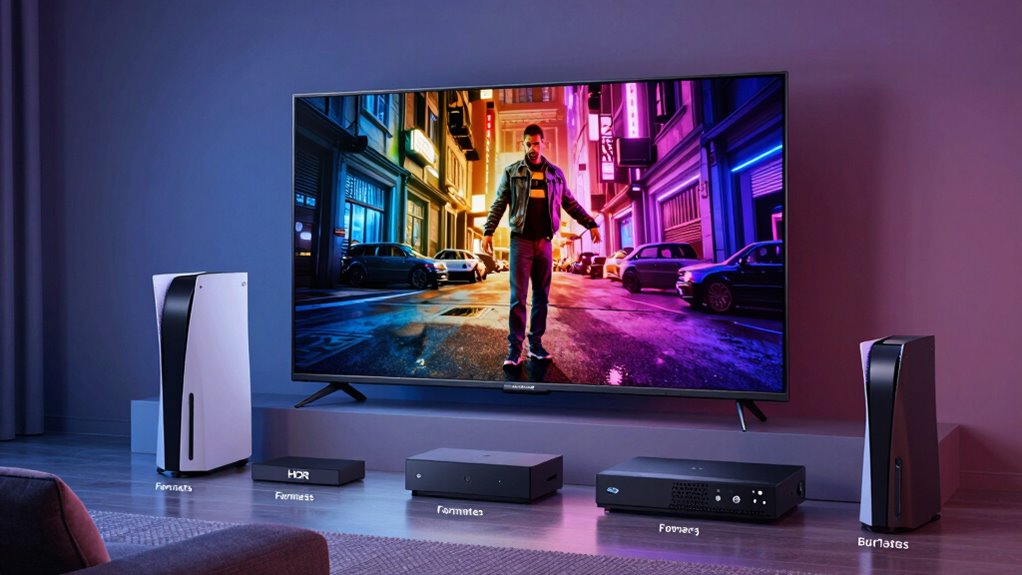
As you explore HDR formats like HLG, it’s important to contemplate device compatibility for a seamless viewing experience. Not all devices support every HDR format, so knowing what to look for is essential. Here’s a quick guide to help you:
- Televisions: Verify your TV supports HDR10, Dolby Vision, or HLG. Most modern models do, but check specifications.
- Streaming Devices: Devices like Roku, Apple TV, and Amazon Fire Stick often support HDR formats, but confirm compatibility.
- Game Consoles: PlayStation and Xbox consoles typically support HDR10 and Dolby Vision.
- Blu-ray Players: 4K UHD Blu-ray players generally support HDR10 and may also support Dolby Vision.
Understanding device compatibility will enhance your HDR format support and overall viewing pleasure.
Where to Find HDR Content: HDR10, Dolby Vision, and HLG
Finding HDR content can greatly enhance your viewing experience, and there are plenty of options available across various platforms. Major streaming services like Netflix, Amazon Prime Video, and Disney+ offer a wide selection of HDR10 and Dolby Vision titles. You’ll find movies, series, and documentaries that utilize these formats, maximizing your display’s capabilities. For HLG content, platforms like BBC iPlayer and YouTube provide live broadcasts and some on-demand options. It’s essential to check the content availability on each service, as not all titles support every HDR format. By exploring different platforms, you can easily find the HDR content that fits your taste and take full advantage of your HDR-capable device. Enjoy diving into stunning visuals!
Choosing the Right HDR Format for Your Entertainment Needs
Choosing the right HDR format for your entertainment needs can make a significant difference in your viewing experience. To help you decide, consider these factors:
Choosing the right HDR format can greatly enhance your viewing experience. Consider your preferences and environment to make the best choice.
- HDR Preferences: Determine which HDR format you enjoy most; HDR10, Dolby Vision, or HLG.
- Entertainment Priorities: If you watch a lot of movies, Dolby Vision may be ideal due to its dynamic metadata.
- Viewing Environments: Assess your lighting conditions; brighter rooms may benefit from HDR10’s higher peak brightness.
- Device Limitations: Verify your devices support the chosen format; some older TVs might not handle Dolby Vision.
Frequently Asked Questions
Can HDR Formats Be Used on Older Devices?
Yes, HDR formats can often be used on older devices, but you might face HDR compatibility issues. Many older TVs or devices lack the necessary hardware to fully support HDR technology, which can lead to limitations in picture quality and features. If your device supports HDR, check if it’s compatible with the specific format you want to use, as not all older devices are equipped to handle every HDR format efficiently.
How Do HDR Formats Affect Gaming Experiences?
HDR formats transform your gaming experience into a vibrant canvas, where every color pops like fireworks in the night sky. With HDR performance, you’ll notice breathtaking gaming visuals that draw you deeper into the action. Enhanced frame rates keep everything smooth, while increased color depth adds richness to every scene. You’ll feel the immersion as shadows and highlights dance, making your games not just play, but come alive in stunning detail.
Do HDR Formats Impact Internet Bandwidth Usage?
Yes, HDR formats can impact your internet bandwidth usage. Higher dynamic range content often requires increased bandwidth to maintain streaming quality. For instance, HDR10 and Dolby Vision can demand more data than standard definitions, which might affect your experience if your internet connection isn’t robust. If you’re streaming HDR content, make sure your bandwidth can handle the requirements to avoid buffering or quality drops. So, check your connection before diving into HDR gaming or movies!
Is There a Noticeable Difference in Picture Quality?
Yes, you’ll notice a significant difference in picture quality. Formats like Dolby Vision offer greater color depth and enhanced brightness levels compared to standard HDR10. With Dolby Vision, you get a more vibrant and detailed image, particularly in highlights and shadows. This means scenes will look more lifelike and immersive. If you’re into high-quality visuals, investing in a compatible format can truly elevate your viewing experience.
How Can I Test if My TV Supports HDR?
To see if your TV supports HDR, think of it as opening a vibrant door to stunning visuals. Start by checking your TV’s specifications for HDR compatibility. Then, use testing methods like playing HDR content from a streaming service or using HDR test videos available online. If your screen shines with richer colors and deeper contrasts, you’ve likely accessed the full potential of your TV’s capabilities. Enjoy the enhanced experience!
Conclusion
In the world of HDR, choosing between HDR10, Dolby Vision, and HLG is like picking a favorite flavor of ice cream. Each offers a unique experience, but Dolby Vision’s dynamic range is like that extra scoop that elevates your sundae. As you plunge into your next binge-watch or movie night, consider your devices and content options to savor the best visual feast. No matter your choice, you’re bound to enjoy a richer, more vibrant viewing experience!
Fall Picks
fall essentials
As an affiliate, we earn on qualifying purchases.