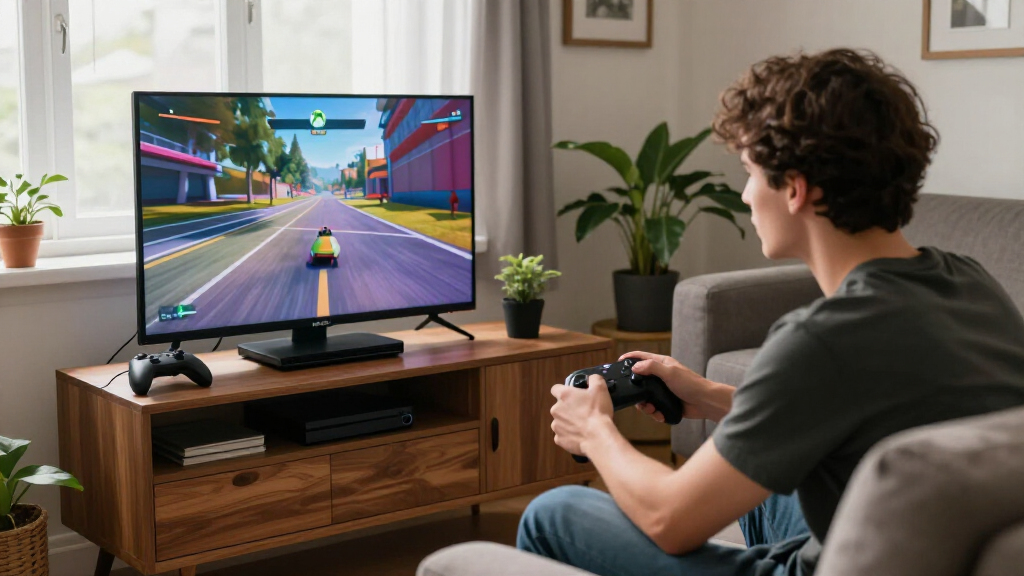
The Xbox Series X 1TB is my best overall pick for players who want current-generation performance and a disc drive. The Xbox Series S 1TB suits digital-first players who want more storage in a compact console, while the ASUS ROG Xbox Ally is the portable option for gaming away from a TV. The main choice is between current-generation speed, disc support, storage, and portability. Older Xbox One models may suit buyers with a specific library or budget, but they do not match the newer consoles’ capabilities. Read on for how these 13 options differ and which one fits your setup.

Get movie nights delivered free — and shop member deals
- Fast, free delivery on millions of items
- Access to Prime Big Deal Days deals on October 6–7
- Prime Video, Amazon Music and more included
Key Takeaways
- Series X models lead for performance; the standard 1TB version adds a disc drive, while the all-digital edition suits players who have no need for physical games.
- Series S is the compact digital choice: the 1TB model gives a larger storage cushion than the 512GB versions, while those smaller models call for more active game management.
- The ROG Xbox Ally models prioritize handheld play with a built-in screen and portable design, trading the straightforward TV-console setup of Series X and Series S.
- Xbox One options are older-generation picks; their appeal depends on compatibility with a buyer’s existing games and accessories, not current-generation performance.
- Bundles and renewed listings need closer inspection: included controllers, condition, included accessories, and exact model can affect fit as much as the console name.
| Xbox Series X Gaming Console Bundle, 1TB SSD, Two Wireless Controllers |  | Best Overall Bundle | Platform: Xbox Series X | Storage: 1TB NVMe SSD | Resolution: 4K | VIEW LATEST PRICE | See Our Full Breakdown |
| Xbox One S 1TB All-Digital Edition Console |  | Best for Digital-Library Beginners | Platform: Xbox One | Storage: 1TB | Optical disc drive: None | VIEW LATEST PRICE | See Our Full Breakdown |
| Microsoft Xbox Series S 512GB All-Digital Console, White (Renewed) |  | Best Renewed Compact Pick | Platform: Xbox Series S | Storage: 512GB SSD | Resolution: Up to 1440p | VIEW LATEST PRICE | See Our Full Breakdown |
| Xbox Series S All-Digital Gaming Console, 1TB SSD, Robot White |  | Best Compact Console | Platform: Xbox Series S | Storage: 1TB custom NVMe SSD | Maximum frame rate: Up to 120 FPS | VIEW LATEST PRICE | See Our Full Breakdown |
| Xbox Series X All-Digital Gaming Console, 1TB SSD, Robot White |  | Best Premium Digital Console | Platform: Xbox Series X | Storage: 1TB custom NVMe SSD | Processing power: 12 teraflops | VIEW LATEST PRICE | See Our Full Breakdown |
| ASUS ROG Xbox Ally 7-Inch 1080p 120Hz Gaming Handheld, Ryzen Z2 A, 16GB RAM, 512GB SSD, White |  | Best for Xbox and PC Game Access on the Go | Display: 7-inch 1080p touchscreen, 120Hz, 500 nits, Gorilla Glass | Processor: AMD Ryzen Z2 A | Memory: 16GB LPDDR5 6400MHz | VIEW LATEST PRICE | See Our Full Breakdown |
| Microsoft Xbox One 500GB Console, Matte Black (Renewed) |  | Best for a Basic Renewed Xbox Setup | Platform: Xbox One | Storage: 500GB | Resolution: 1080p | VIEW LATEST PRICE | See Our Full Breakdown |
| Xbox One S 1TB Console – Minecraft Bundle (Discontinued), White |  | Best Xbox One S for Disc and 4K Media | Platform: Xbox One | Storage: 1TB | Resolution: 4K | VIEW LATEST PRICE | See Our Full Breakdown |
| ASUS ROG Xbox Ally Gaming Handheld – 7″ 120Hz Touchscreen, AMD Ryzen Z2 A, 16GB RAM, 512GB SSD |  | Best for Xbox-First Handheld Play | Display: 7-inch 1080p IPS touchscreen, 120Hz, 500 nits, Gorilla Glass | Processor: AMD Ryzen Z2 A | Graphics: AMD RDNA 2 | VIEW LATEST PRICE | See Our Full Breakdown |
| Xbox One S |  | Best for a Game Pass Trial | Console: Xbox One S | Included trial: 1 month of Xbox Game Pass | Games listed: Over 100 | VIEW LATEST PRICE | See Our Full Breakdown |
| Xbox Series X 1TB Gaming Console with Wireless Controller |  | Best Overall for 4K Gaming | Storage: 1TB custom NVMe SSD | Processor: Custom 8-core AMD Zen 2 CPU | Graphics: Custom AMD RDNA 2 GPU, 12 TFLOPS | VIEW LATEST PRICE | See Our Full Breakdown |
| Microsoft Xbox One X 1TB 4K Ultra HD Gaming Console, Black (Renewed, 2017 Model) |  | Best for Existing Xbox One Libraries | Platform: Xbox One | Storage: 1TB | Resolution: 4K | VIEW LATEST PRICE | See Our Full Breakdown |
| Xbox Series S 512GB All-Digital Gaming Console with Wireless Controller |  | Best Compact Digital Pick | Storage: 512GB custom NVMe SSD | CPU: 8-core custom Zen 2, up to 3.6 GHz | GPU: Custom RDNA 2, 4 TFLOPS | VIEW LATEST PRICE | See Our Full Breakdown |
| Xbox gaming console | Storage | Platform | Resolution |
|---|---|---|---|
| Xbox Series X Gaming Console B | 1TB NVMe SSD | Xbox Series X | 4K |
| Xbox One S 1TB All-Digital Edi | 1TB | Xbox One | — |
| Microsoft Xbox Series S 512GB | 512GB SSD | Xbox Series S | Up to 1440p |
| Xbox Series S All-Digital Gami | 1TB custom NVMe SSD | Xbox Series S | — |
| Xbox Series X All-Digital Gami | 1TB custom NVMe SSD | Xbox Series X | Up to 4K |
| ASUS ROG Xbox Ally 7-Inch 1080 | 512GB SSD | — | — |
| Microsoft Xbox One 500GB Conso | 500GB | Xbox One | 1080p |
| Xbox One S 1TB Console | 1TB | Xbox One | 4K |
| ASUS ROG Xbox Ally Gaming Hand | 512GB SSD | — | — |
| Xbox One S | Not specified | — | Not specified |
| Xbox Series X 1TB Gaming Conso | 1TB custom NVMe SSD | — | — |
| Microsoft Xbox One X 1TB 4K Ul | 1TB | Xbox One | 4K |
| Xbox Series S 512GB All-Digita | 512GB custom NVMe SSD | — | — |
More Details on Our Top Picks
Xbox Series X Gaming Console Bundle, 1TB SSD, Two Wireless Controllers
The Xbox Series X bundle is the strongest all-around pick here for buyers who want high-end console performance and a ready-made way to play with someone else. Its 4K support, up to 120 FPS, and 1TB NVMe SSD pair fast loading with detailed visuals on compatible games and displays. Unlike the Xbox Series S 1TB, it also targets 4K gaming, while the second controller gives this bundle an immediate two-player advantage over the single-controller Series X Digital Edition. Backward compatibility across four Xbox generations adds options for players with older digital libraries.
The tradeoff is that this bundle still has no listed disc drive, so physical games are out, and 120 FPS depends on supported content and a compatible display. Choose it for performance and shared play; skip it if you want a disc collection or a smaller console.
Pros:- 4K gaming support with up to 120 FPS on compatible content and displays
- 1TB NVMe SSD and Quick Resume support fast loading and game switching
- Backward compatibility spans four Xbox generations
- Includes two wireless controllers for local multiplayer
Cons:- 120 FPS depends on game support and compatible display hardware
- The listing does not specify a disc drive, so physical games are not supported
Best for: Players seeking a 4K-capable Xbox bundle with two controllers for local multiplayer
Not ideal for: Collectors of physical Xbox games or buyers who prefer a compact, lower-resolution console
- Platform:Xbox Series X
- Storage:1TB NVMe SSD
- Resolution:4K
- Maximum frame rate:Up to 120 FPS
- Color:Black
- Backward compatibility:Xbox One, Xbox 360, and original Xbox games
- Included accessories:Two wireless controllers and HDMI cable
Our verdict“Choose this bundle for a 4K-focused Xbox and two-controller setup, provided digital play suits your library.”
Xbox One S 1TB All-Digital Edition Console
The Xbox One S All-Digital Edition suits newcomers who want a simple route into downloaded Xbox games and prefer a bundle with games included. Its 1TB storage and download codes for Minecraft, Sea of Thieves, and Fortnite Battle Royale give a first-time owner a starting library without needing physical discs. Cloud saves and Xbox Play Anywhere for compatible titles can also make it easier to pick up supported games across devices.
Compared with the newer Xbox Series S 1TB, this Xbox One S is an older generation and lacks the listed newer-console features such as Quick Resume. Its defining compromise is the disc-free design: it cannot play physical games or discs, so buyers tied to used or borrowed copies should skip it. Online multiplayer for the included games also requires a separate subscription, making this a better fit for casual digital players than those seeking the latest hardware.
Pros:- 1TB capacity for downloaded games
- Includes download codes for Minecraft, Sea of Thieves, and Fortnite Battle Royale
- Cloud saves and Xbox Play Anywhere support for compatible titles
Cons:- No optical disc drive for physical games or discs
- Older Xbox One platform compared with the Xbox Series S consoles in this roundup
- Online multiplayer for included games requires a separate subscription
Best for: First-time Xbox owners who mainly download games and want several included titles to start with
Not ideal for: Players with physical Xbox game collections or buyers who want current-generation Series console features
- Platform:Xbox One
- Storage:1TB
- Optical disc drive:None
- Connectivity:HDMI and USB
- Wireless communication:Supported
- Controller:Wireless
- Included games:Minecraft, Sea of Thieves, and Fortnite Battle Royale
- Cloud features:Cloud saves and Xbox Play Anywhere support for compatible titles
Our verdict“Pick this Xbox One S for a digital-first starter library, but choose a Series S if newer-generation features matter more.”
Microsoft Xbox Series S 512GB All-Digital Console, White (Renewed)
This renewed Xbox Series S is a compact entry point to current-generation Xbox gaming for buyers comfortable with refurbished hardware. It targets up to 1440p and 120 FPS, while its SSD supports quicker loading than the Xbox One S All-Digital Edition. The Series X bundle aims higher with 4K support and includes two controllers; this Series S instead keeps the setup smaller and includes one controller, which makes sense for a solo player with a suitable 1440p display.
The main constraint is its 512GB SSD: large installs can fill it quickly, so owners may need to manage what stays installed. It is digital-only, ruling out physical games, and its renewed condition comes with a 90-day limited warranty. Buyers who want more built-in capacity and a new console should look at the Xbox Series S 1TB instead.
Pros:- Compact all-digital Series console
- Supports gaming up to 1440p and 120 FPS
- SSD storage and one wireless controller are included
- HDR and 3D spatial sound are supported
Cons:- 512GB storage can limit the number of large games installed at once
- Disc-free design cannot play physical games
- Renewed model has a 90-day limited warranty
Best for: Solo players seeking a compact current-generation Xbox and who are comfortable buying renewed hardware
Not ideal for: Players who rely on physical games, need ample built-in storage, or prefer a longer warranty
- Platform:Xbox Series S
- Storage:512GB SSD
- Resolution:Up to 1440p
- Performance target:Up to 120 FPS
- Game format:All-digital
- Color:White
- Included accessory:One Xbox Wireless Controller
- Condition and warranty:Renewed; 90-day limited warranty
Our verdict“Choose this renewed Series S for compact current-generation play if 512GB and the limited warranty fit your needs.”
Xbox Series S All-Digital Gaming Console, 1TB SSD, Robot White
The Xbox Series S 1TB is the compact choice for players who want current-generation features without stepping up to the 4K-focused Xbox Series X. Its 1TB NVMe SSD provides twice the listed capacity of the renewed 512GB Series S, leaving more room for a digital library before storage management becomes a regular chore. Quick Resume helps players switch among supported games, and gameplay can reach 120 FPS on compatible content and displays.
Compared with the Series X bundle, this model is designed around a smaller footprint and digital play rather than 4K gaming or two-controller multiplayer out of the box. It includes one controller and essential cables, but physical games are not an option, and Game Pass is sold separately. It makes most sense for space-conscious buyers with a digital library; players who need discs or prioritize 4K should look elsewhere in the lineup.
Pros:- Compact console design
- 1TB custom NVMe SSD with Quick Resume support
- Gameplay supports up to 120 FPS on compatible content
- Includes a wireless controller, HDMI cable, power cable, and batteries
Cons:- All-digital design cannot play physical games
- Does not target 4K gaming like the Series X models
- Game Pass subscription is sold separately
Best for: Space-conscious players who want a current-generation digital Xbox with more storage than the 512GB Series S
Not ideal for: Physical-game collectors or buyers who prioritize 4K gaming and a second included controller
- Platform:Xbox Series S
- Storage:1TB custom NVMe SSD
- Maximum frame rate:Up to 120 FPS
- Game format:All-digital
- Color:Robot White
- Backward compatibility:Xbox Series X|S, Xbox One, Xbox 360, and original Xbox digital games
- Included accessories:Wireless controller, HDMI cable, power cable, and two AA batteries
Our verdict“Choose this Series S for compact digital gaming and 1TB storage, while 4K buyers should favor a Series X.”
Xbox Series X All-Digital Gaming Console, 1TB SSD, Robot White
The Xbox Series X Digital Edition is the premium fit for digital-only players who want the Series X performance target without a disc drive. Its 12-teraflop processing power, 4K support, and up to 120 FPS on supported content make it the stronger performance option than either Series S in this roundup. The 1TB NVMe SSD and Quick Resume can reduce waiting and make it easier to move among games, while backward compatibility covers digital titles from four Xbox generations.
Compared with the black Series X bundle, this Robot White edition includes one controller instead of two, so local multiplayer requires another controller. The disc-free design also means physical games are unavailable, a notable limitation for anyone with a disc library. Choose it for premium Series X capabilities and an all-digital collection; choose the Series S 1TB if compact size matters more than 4K performance.
Pros:- 12-teraflop processing power with 4K support
- Up to 120 FPS on supported content and compatible displays
- 1TB NVMe SSD and Quick Resume support
- Digital backward compatibility across four Xbox generations
Cons:- Cannot play physical game discs
- Includes one controller, unlike the two-controller Series X bundle
- 120 FPS requires supported content and a compatible display
Best for: Digital-library players who want Series X performance and 4K support without a disc drive
Not ideal for: Physical-game collectors or households that want two controllers included
- Platform:Xbox Series X
- Storage:1TB custom NVMe SSD
- Processing power:12 teraflops
- Resolution:Up to 4K
- Frame rate:Up to 120 FPS
- Edition and color:All-digital; Robot White
- Audio:3D Spatial Sound with Dolby Atmos support
- Included accessories:Wireless controller, HDMI cable, power cable, and two AA batteries
- Game compatibility:Xbox Series X|S, Xbox One, Xbox 360, and original Xbox digital games
Our verdict“Choose this model for premium 4K-capable Series X gaming in a digital library, and skip it if you need a disc drive.”
ASUS ROG Xbox Ally 7-Inch 1080p 120Hz Gaming Handheld, Ryzen Z2 A, 16GB RAM, 512GB SSD, White
I’d choose the ROG Xbox Ally when handheld access to Xbox and PC game stores matters more than having a traditional living-room console. Its 7-inch 1080p, 120Hz display with FreeSync Premium is built for responsive portable play, while Windows 11 opens access to Xbox, Steam, and Epic games. Compared with the Xbox One S 1TB Console – Minecraft Bundle, this handheld trades the One S’s 4K Blu-ray playback and larger storage for portability and a broader Windows storefront. The tradeoff is practical: 1.47 pounds can feel substantial over long sessions, and the listed 60Wh battery capacity doesn’t tell me how long a particular game will run. Its 512GB SSD may also call for managing installed games.
Pros:- Windows 11 provides access to Xbox, Steam, Epic, and other PC game stores.
- The 120Hz 1080p touchscreen supports smooth portable play.
- Dual USB-C ports allow connection to a TV.
- Fast charging is specified at 0% to 50% in 30 minutes.
Cons:- At 1.47 pounds, it may feel heavy during extended handheld play.
- The 512GB SSD can limit how many large games stay installed.
- Battery runtime is not specified.
Best for: Xbox players who want a handheld for Game Pass and PC storefronts and are comfortable using Windows.
Not ideal for: Players who want a simple TV-first console, long untethered sessions, or ample space for a large installed library.
- Display:7-inch 1080p touchscreen, 120Hz, 500 nits, Gorilla Glass
- Processor:AMD Ryzen Z2 A
- Memory:16GB LPDDR5 6400MHz
- Storage:512GB SSD
- Battery:60Wh
- Charging:0% to 50% in 30 minutes
- Operating system:Windows 11
- Ports:Dual USB Type-C
- Weight:1.47 lbs
Our verdict“Choose this Ally if you want Xbox and PC games in a portable Windows device and can accept its weight and storage limits.”
Microsoft Xbox One 500GB Console, Matte Black (Renewed)
This renewed Xbox One is the straightforward pick for someone who needs a console and controller for 1080p gaming, streaming apps, and Xbox Live. The included wireless controller makes the package usable out of the box, while Wi-Fi, Ethernet, Bluetooth, and HDMI cover familiar home setups. Compared with the Xbox One S 1TB Console – Minecraft Bundle, this model has half the listed storage and lacks the bundle’s stated 4K Blu-ray playback and 4K streaming. Its appeal is narrower: it provides core Xbox One access without the extra entertainment features called out for the One S. The renewed condition and 90-day limited warranty are material tradeoffs, as is 500GB of space for players who keep several games installed.
Pros:- Includes a wireless controller.
- Supports 1080p gaming.
- Offers Wi-Fi, Ethernet, Bluetooth, and HDMI connectivity.
- Provides access to Xbox Live, digital games, movies, and apps.
Cons:- Renewed condition may not suit buyers who prefer new hardware.
- 500GB storage can constrain a multi-game library.
- The listed warranty is limited to 90 days.
Best for: A buyer seeking an entry-level renewed Xbox One with a controller for 1080p gaming and everyday apps.
Not ideal for: Buyers who want a new console, more than 500GB of storage, or 4K media features.
- Platform:Xbox One
- Storage:500GB
- Resolution:1080p
- Color:Matte black
- Included accessory:Wireless controller
- Connectivity:Bluetooth, Wi-Fi, Ethernet, HDMI
- Item weight:2000g
- Condition:Renewed
- Warranty:90-day limited warranty
Our verdict“Pick this renewed Xbox One for a basic 1080p setup if its condition and limited storage fit your needs.”
Xbox One S 1TB Console – Minecraft Bundle (Discontinued), White
I’d shortlist this Xbox One S for a buyer who wants one older Xbox for games, discs, and 4K video playback. Its 4K Ultra HD Blu-ray playback, 4K streaming, HDR, and Dolby Atmos and DTS:X support give it a stronger media role than the renewed Xbox One 500GB Console, which is listed for 1080p and has less storage. The included Minecraft adds a game to the bundle, and the 1TB capacity gives more room than that renewed model’s 500GB. This is still an older Xbox One generation, though; the product data says it has lower specs than the Xbox One X, and the bundle is discontinued. I’d favor a Series console from the roundup for buyers prioritizing a newer generation.
Pros:- Supports 4K Ultra HD Blu-ray playback and 4K video streaming.
- 1TB storage exceeds the listed 500GB of the renewed Xbox One.
- HDR support is specified for richer color and contrast.
- Includes Minecraft and lists Dolby Atmos and DTS:X spatial audio.
Cons:- The bundle is discontinued.
- Its specs are lower than the Xbox One X, according to the product data.
- The listing specifies HDMI and Wi-Fi but gives limited connectivity detail.
Best for: Players who want an Xbox One with disc-based 4K movie playback, 4K streaming, and Minecraft included.
Not ideal for: Buyers focused on newer-generation Xbox hardware or who prefer to avoid a discontinued bundle.
- Platform:Xbox One
- Storage:1TB
- Resolution:4K
- Video playback:4K Ultra HD Blu-ray and 4K streaming
- HDR:Supported
- Audio:Dolby Atmos and DTS:X
- Included game:Minecraft
- Connectivity:HDMI, Wi-Fi
- Color:White
Our verdict“Choose this One S bundle if 4K disc playback and Minecraft matter more to you than newer-generation hardware.”
ASUS ROG Xbox Ally Gaming Handheld – 7″ 120Hz Touchscreen, AMD Ryzen Z2 A, 16GB RAM, 512GB SSD
This ROG Xbox Ally suits players who want a handheld that opens into an Xbox-focused interface while retaining access to PC storefronts. The Xbox integration, Game Pass access, and Xbox Play Anywhere cross-progression make it more Xbox-centered in its description than the other listed Ally, while Steam and Epic access add options beyond Xbox. Its 7-inch 1080p, 120Hz FreeSync Premium touchscreen is a portable-play advantage over the home-focused Xbox One S 1TB Console – Minecraft Bundle, which instead offers 4K Blu-ray playback and 1TB storage. This Ally has only 512GB, so a large game collection may need rotation. Windows handhelds can also demand more setup and adjustment than a conventional Xbox console, despite the Xbox-oriented interface.
Pros:- Xbox-focused interface and Game Pass integration sit alongside Steam and Epic access.
- Xbox Play Anywhere cross-progression is listed.
- The 120Hz FreeSync Premium display has 500 nits brightness.
- Fast charging is specified at 0% to 50% in 30 minutes.
Cons:- The 512GB SSD may fill quickly with modern games.
- Windows-based handhelds can require more setup than a console.
- At 1.47 pounds, it may feel heavy during lengthy handheld sessions.
Best for: Xbox players who want Game Pass, Xbox Play Anywhere progress, and other PC game stores on a handheld.
Not ideal for: Players seeking a plug-and-play TV console or enough built-in storage for a large installed library.
- Display:7-inch 1080p IPS touchscreen, 120Hz, 500 nits, Gorilla Glass
- Processor:AMD Ryzen Z2 A
- Graphics:AMD RDNA 2
- Memory:16GB LPDDR5X 6400MHz
- Storage:512GB SSD
- Battery:60Wh with fast charging
- Connectivity:Wi-Fi 6E, Bluetooth 5.4, USB
- Operating system:Windows 11 Home
- Weight:1.47 lbs
Our verdict“Choose this Ally if Xbox integration and cross-progression are priorities and you’re comfortable managing a Windows handheld.”
Xbox One S
The supplied details make this Xbox One S most distinct as a way to try Game Pass: they list a one-month trial with access to over 100 games. That can help a new subscriber explore a broad library before committing to a longer-term routine. Compared with the Xbox One S 1TB Console – Minecraft Bundle, however, this listing does not provide storage capacity, display capabilities, disc support, or even a complete hardware description. It also mentions PS4 controller back triggers, information that appears unrelated to an Xbox One S and leaves the product details uncertain. I’d treat the trial as the only clearly stated differentiator and look for confirmation of the console configuration before choosing it for a hardware-led buying decision.
Pros:- Lists a one-month Xbox Game Pass trial.
- The trial description states access to over 100 games.
- Identifies the product as an Xbox One S.
Cons:- Storage capacity and core hardware specifications are not provided.
- The description includes potentially unrelated PS4 controller information.
- The listing does not establish disc or video playback capabilities.
Best for: A buyer primarily interested in the listed one-month Game Pass trial who can confirm the console details before purchase.
Not ideal for: Anyone comparing consoles by storage, resolution, disc playback, or other hardware specifications missing from this listing.
- Console:Xbox One S
- Included trial:1 month of Xbox Game Pass
- Games listed:Over 100
- Storage:Not specified
- Resolution:Not specified
- Disc playback:Not specified
Our verdict“Consider this listing for its stated Game Pass trial only after confirming which Xbox One S hardware is included.”
Xbox Series X 1TB Gaming Console with Wireless Controller
The Xbox Series X is the strongest all-around pick here for players who want a current-generation console with true 4K gaming, a fast 1TB SSD, and a disc drive. Its 4K UHD Blu-ray player also lets you use physical games and movie discs, unlike the all-digital Xbox Series S 512GB. Compared with that smaller console, Series X offers more graphics power and a higher resolution target, which suits a 4K television better. The tradeoff is its larger, heavier body and less storage than some 1TB variants in the wider roundup. It can target up to 120 FPS, though actual performance depends on the game and display. I’d choose it for a living-room setup where image quality and disc support matter more than compact size.
Pros:- True 4K gaming target suits 4K televisions
- 1TB NVMe SSD supports fast loading
- 4K UHD Blu-ray drive plays physical games and movies
- Includes a wireless controller and Ultra High Speed HDMI cable
Cons:- Large and heavy compared with the Xbox Series S
- 1TB storage can still fill up with a large game library
Best for: Players with a 4K television who want current-generation performance, physical game discs, and Blu-ray playback in one console
Not ideal for: Buyers who need a compact, lightweight console or prefer an all-digital setup with no disc drive
- Storage:1TB custom NVMe SSD
- Processor:Custom 8-core AMD Zen 2 CPU
- Graphics:Custom AMD RDNA 2 GPU, 12 TFLOPS
- Memory:16GB GDDR6
- Gaming resolution:True 4K
- Performance target:Up to 120 FPS
- Optical drive:4K UHD Blu-ray
- Connectivity:Wi-Fi 802.11ac, Gigabit Ethernet
Our verdict“Choose the Xbox Series X if you want a powerful 4K console with a disc drive and can accommodate its larger chassis.”
Microsoft Xbox One X 1TB 4K Ultra HD Gaming Console, Black (Renewed, 2017 Model)
The renewed Xbox One X is a fit for buyers who want a 4K-capable console while keeping an existing collection of Xbox One games and accessories. Its 4K Blu-ray player adds disc playback, a feature shared with the Xbox Series X, but this is a 2017 Xbox One model rather than a Series console. That makes the newer Xbox Series S the better match for buyers prioritizing a current-generation system and its faster-loading NVMe storage. The One X has 1TB of storage and is described as running smoothly on 1080p screens, so it may suit a setup that does not center on 4K. The main tradeoffs are its renewed condition and a 90-day limited warranty; the supplied information does not specify its future software update support.
Pros:- Supports 4K resolution
- Built-in 4K Blu-ray player supports movie disc playback
- Compatible with Xbox One games and accessories
- Includes a controller and power supply
Cons:- Renewed condition may mean signs of prior use
- 90-day limited warranty is shorter than many buyers may want
- Future software update support is not specified
Best for: Xbox One owners who want to keep using compatible games and accessories and want a 4K Blu-ray player
Not ideal for: Buyers seeking a current-generation console, a clearly stated long-term software support window, or a new-condition unit
- Platform:Xbox One
- Storage:1TB
- Resolution:4K
- Optical drive:4K Blu-ray player
- Wireless:Bluetooth, Wi-Fi
- Connections:HDMI, USB
- Included components:Console, power supply, controller
- Warranty:90-day limited warranty
Our verdict“Pick the renewed Xbox One X if compatibility with your Xbox One collection matters more than moving to a Series generation console.”
Xbox Series S 512GB All-Digital Gaming Console with Wireless Controller
The Xbox Series S 512GB suits players who want a current-generation Xbox in an all-digital setup and value a 1440p gaming target over native 4K. Its NVMe SSD and support for up to 120 FPS, variable refresh rate, and AMD FreeSync give it modern loading and display features in a lower-power package than the Xbox Series X. Series X is the better fit for 4K gaming and physical discs; Series S keeps the setup disc-free and more compact. That choice has practical consequences: games must come from digital sources, and 512GB can constrain how many large titles stay installed. I’d favor this model for a player with reliable access to digital games and a 1440p display, while 4K-focused buyers should look to Series X.
Pros:- Compact all-digital format suits disc-free setups
- Fast 512GB NVMe SSD supports quick loading
- Targets up to 120 FPS
- Supports Auto Low Latency Mode, HDMI Variable Refresh Rate, and AMD FreeSync
Cons:- Cannot play physical game or movie discs
- 512GB storage may limit the installed game library
- 1440p target is below the Xbox Series X’s true 4K target
Best for: Digital-first players with a 1440p display who want a current-generation Xbox and do not need a disc drive
Not ideal for: Collectors of physical games or households that want 4K gaming and more built-in storage
- Storage:512GB custom NVMe SSD
- CPU:8-core custom Zen 2, up to 3.6 GHz
- GPU:Custom RDNA 2, 4 TFLOPS
- Memory:10GB GDDR6
- Gaming resolution:1440p
- Performance target:Up to 120 FPS
- HDMI features:Auto Low Latency Mode, HDMI Variable Refresh Rate, AMD FreeSync
- Included accessories:Wireless controller and high-speed HDMI cable
Our verdict“Choose the Series S if you want a compact digital Xbox for 1440p play and can live without discs and a larger game library.”

How We Picked
I ranked these options by how well each serves a distinct Xbox gaming need: current-generation performance, digital or disc-based libraries, storage, portability, and ease of choosing a compatible setup. The Series X models sit highest for players seeking the strongest conventional console experience; its standard edition ranks ahead of the digital edition for its added disc flexibility. Series S follows as a smaller digital-first alternative, with the 1TB model ahead of the 512GB versions for buyers who want less storage management.
The handheld Ally models earn a separate role for portable play, while the Xbox One family ranks lower because it represents an older generation. Within that group, I weigh stated storage, 4K capability where listed, and bundle details, while treating renewed condition and discontinued status as reasons to check listing specifics carefully. Product names alone do not establish every compatibility or condition detail, so buyers should verify the exact listing before deciding.
| Xbox gaming console | Platform |
|---|---|
| Xbox Series X Gaming Console B | Xbox Series X |
| Xbox One S 1TB All-Digital Edi | Xbox One |
| Microsoft Xbox Series S 512GB | Xbox Series S |
| Xbox Series S All-Digital Gami | Xbox Series S |
| Xbox Series X All-Digital Gami | Xbox Series X |
| ASUS ROG Xbox Ally 7-Inch 1080 | — |
| Microsoft Xbox One 500GB Conso | Xbox One |
| Xbox One S 1TB Console | Xbox One |
| ASUS ROG Xbox Ally Gaming Hand | — |
| Xbox One S | — |
| Xbox Series X 1TB Gaming Conso | — |
| Microsoft Xbox One X 1TB 4K Ul | Xbox One |
| Xbox Series S 512GB All-Digita | — |
Factors to Consider When Choosing Best Xbox Gaming Consoles
Before choosing a model, decide how you play and what you already own. A console’s generation, disc support, storage, and location in your home can matter more than a bundle name or color.
Choose a generation around the games you want to play
Start by checking the specific games you expect to play and which Xbox generation supports them. Newer Series X and Series S consoles are the current-generation choices in this lineup, while Xbox One models belong to an older generation. Backward compatibility can vary by title, so confirm support for important games instead of assuming an entire library will carry over. If you already own Xbox One games, check whether they are digital or on disc before selecting a console without a drive. A newer console can make sense even if you mostly play older titles, but your actual library should guide that choice. Treat model year and generation as separate from the condition of a renewed unit.
Decide whether a disc drive fits your library
A disc drive matters if you own physical games, want to use compatible Xbox game discs, or value having a physical collection. Digital-only models require purchases and downloads through supported digital services, so account access and internet availability become part of the setup. Do not assume a disc-based bundle includes games just because it is called a bundle; check the included items. If your library is already digital, paying attention to the drive may be less useful than comparing storage or console size. Buyers moving from an older disc-based Xbox should inventory their discs before choosing a Series S or an all-digital Series X. Verify each game’s compatibility separately.
Match storage to your download habits
Storage affects how many games you can keep installed and ready to launch. The 512GB Series S models ask more of players who rotate among many large downloads, while the 1TB Series S offers a larger starting allowance. The listed Series X options also have 1TB SSDs, but the standard and digital models differ in disc support. Think about whether you prefer to keep a small rotation or install a broad library at once. Deleting and redownloading games can be manageable, but it takes time and may depend on your connection. Check the console’s supported expansion options if you expect your library to grow.
Choose between a TV console and handheld play
The ROG Xbox Ally models are built around a screen you can hold, while the Series consoles are designed for play connected to a display. Portability can suit travel, shared TVs, or rooms without a dedicated console setup. It also changes practical questions: handheld play depends on battery life, controls, screen comfort, and access to your games away from the usual setup. Compare the two Ally listings carefully because their names describe similar hardware, and confirm the exact model and included accessories. If most sessions happen on a television, a Series console may be a simpler fit. If mobility drives the purchase, assess the whole handheld experience rather than screen size alone.
Treat renewed and discontinued listings as listing-specific
A renewed label describes a listing’s condition category, not a guarantee that every unit has the same wear, accessories, or warranty terms. Check what is included, the return window, seller details, and whether the controller and cables are present. The discontinued Minecraft bundle may appeal to someone seeking that specific package, but its title alone does not tell you which extras remain in the listing. Older renewed models can be reasonable when they fit an existing game library, yet age can affect support and the expected lifespan of the hardware. Compare the exact listing against a newer console’s features before choosing based on familiarity. Keep screenshots or records of the stated condition and included contents when ordering.
Pay for the capability you will use
It is easy to focus on headline performance while overlooking whether the matching features matter in your home. Disc support helps physical-game owners, 1TB storage can reduce routine uninstalling, and a handheld screen serves buyers who need portable play. Those benefits may add little for someone who only plays a few digital games on a shared television. Conversely, choosing a lower-capacity model can become inconvenient if your library quickly outgrows it. Think about the cost of accessories or storage expansion as part of the overall setup, without assuming they are included. The better fit is the model whose tradeoffs match your habits over time.
Frequently Asked Questions
Should I choose the Xbox Series X with a disc drive or the all-digital Series X?
Choose the disc-drive Series X if you own physical Xbox games or want the option to play compatible discs. The all-digital model is aimed at buyers whose libraries and purchases are digital and who do not need a drive. Both listed versions have 1TB SSDs, so the main distinction here is physical media. Before switching to digital-only, check whether any games you want are tied to discs. Also verify the exact model in the listing, since the names are similar.
Is a 512GB Xbox Series S enough for my game library?
It can suit someone who plays a few games at a time and is comfortable uninstalling titles between sessions. A larger, frequently changing library makes the 1TB Series S easier to live with because it provides more room before game management becomes routine. Installed game sizes vary, so a storage figure alone cannot predict how many titles will fit. Consider your connection speed and whether you mind redownloading games. Check supported storage expansion if you expect your library to grow.
Does it make sense to buy an Xbox One instead of a Series console?
An Xbox One may fit a buyer who wants a specific older-generation setup or is focused on compatible games they already own. It is not the same performance tier as Series X or Series S, so buyers seeking current-generation capabilities should compare those newer models first. Confirm that the exact games and accessories you care about work with the chosen model. Renewed listings also call for a close check of condition, included parts, and return terms. If you are starting a new library, weigh the older console’s limitations against the longer-term flexibility of a Series model.
Can I use the ROG Xbox Ally as a replacement for an Xbox console?
The Ally is the portable choice in this roundup, with a built-in display and handheld controls. It serves a different setup from a Series console connected to a television, so whether it replaces one depends on where and how you play. Check how the games and services you use are accessed on the exact Ally model, and confirm any network needs for your intended use. Consider screen comfort, battery expectations, and whether you want to play on a larger display. Buyers who mainly play from a couch on a TV may find a Series console more direct.
What should I verify before buying a renewed or discontinued Xbox listing?
Read the listing for the exact model, condition description, controller count, power and connection cables, and any included games or accessories. A product title may mention a bundle without confirming that every original item remains in the package. Review the seller’s return terms and any warranty information before ordering. For discontinued products, check that the listing is for the precise console you intended to buy. Match the console’s generation and disc support to your games and existing equipment.
Conclusion
For most buyers seeking a home console, I recommend the Xbox Series X 1TB with a wireless controller as the best overall pick because it pairs current-generation performance with disc support. The Series S 1TB is my best value fit for digital-first players who want a compact console and more room than the 512GB versions. For a premium digital setup, choose the all-digital Series X if you want its higher-tier console format without physical media. Beginners who want a straightforward current-generation console can start with the Series S 512GB, provided its storage suits their library. For portable play, consider the ROG Xbox Ally; for existing Xbox One libraries, check compatibility and renewed listing details before choosing an older model.
Fall Picks
fall essentials
As an affiliate, we earn on qualifying purchases.